
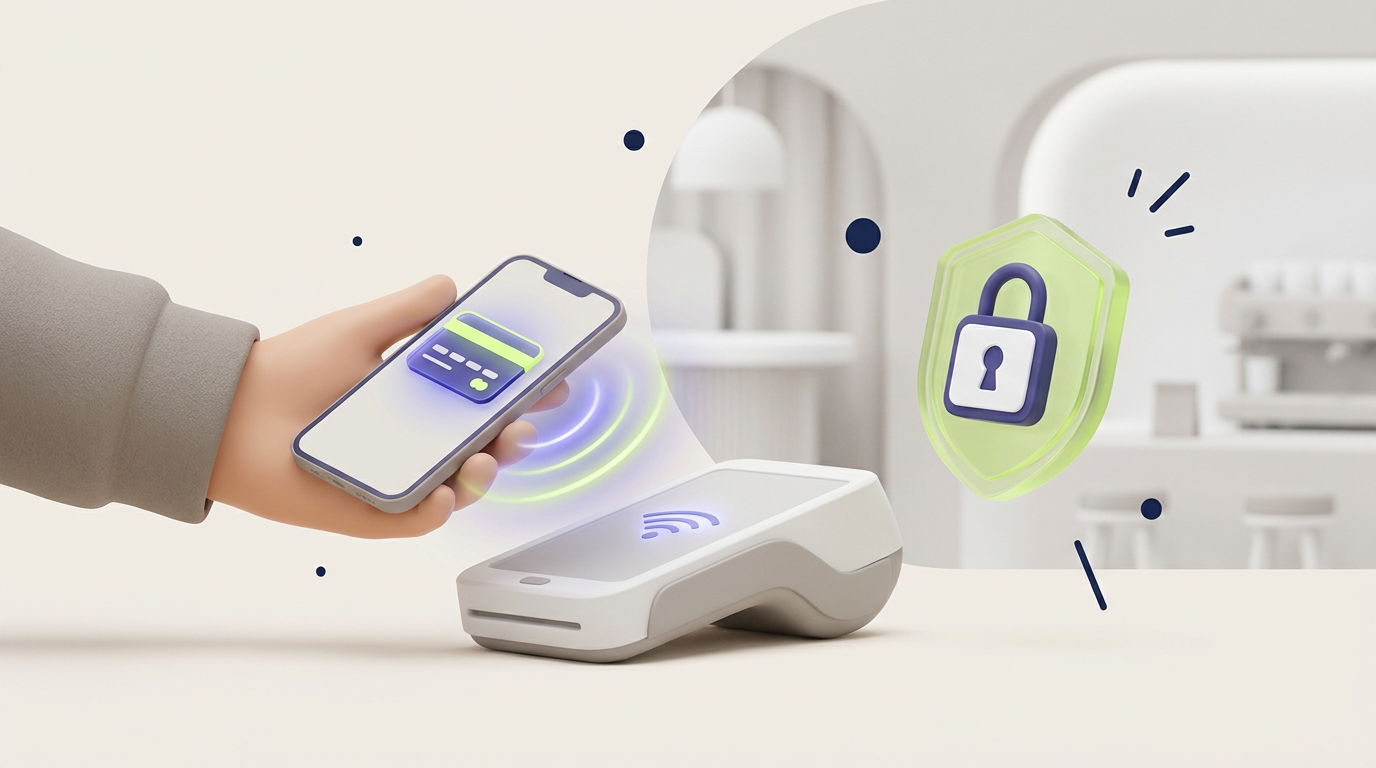
A contactless payment is a transaction completed by holding a card, phone, or wearable near a compatible terminal instead of inserting or swiping it. Most tap-to-pay card and mobile-wallet transactions use near-field communication to exchange payment credentials over a very short distance, after which the normal account authorization process continues.
Contactless technology changes how payment information reaches the terminal, but it does not necessarily create a new source of money. The transaction may still be funded by a debit card, credit card, bank account, prepaid balance, or transport account.
This distinction explains why two payments can look identical at checkout while following different processing rules behind the screen.
What Is a Contactless Payment?
A contactless payment is a cashless transaction that does not require the customer to insert a payment card into a terminal or hand the card to a cashier.
The customer normally places a compatible card, smartphone, smartwatch, or another enabled device close to the payment reader. The terminal detects the payment credential, sends an authorization request, and displays whether the transaction has been approved or declined.
The term contactless describes the interaction between the payment instrument and the terminal. It does not describe where the funds are stored or which financial network ultimately processes the transaction.
A tap made with a physical card may use the same card account that would have been used with an inserted chip. A tap made with a phone may use a token connected to that card. A transport pass may use a separate prepaid account.
How Does a Contactless Payment Work?
A typical tap-to-pay transaction passes through several technical and financial stages.
1. The Customer Presents a Card or Device
The customer places a contactless card, phone, or wearable close to the payment terminal.
The required distance is usually very short. This limited operating range helps the customer understand which terminal is receiving the payment request and reduces accidental communication with distant readers.
2. The Terminal Reads the Payment Credential
The terminal and payment instrument exchange information through compatible short-range technology.
For many card and mobile-wallet transactions, this communication uses near-field communication, commonly called NFC. The terminal does not simply remove money from the card or phone. It receives the information needed to create a payment authorization request.
3. The Customer May Authenticate the Transaction
The required authentication depends on the transaction amount, payment method, merchant, issuer, device, and local rules.
Authentication may involve:
- unlocking a smartphone;
- using a fingerprint or facial recognition;
- entering a device passcode;
- entering a card PIN;
- confirming the payment inside an application;
- completing no additional action for an eligible low-value transaction.
A physical contactless card and a mobile wallet can therefore follow different customer-verification processes even when both use the same terminal.
4. The Payment Request Is Authorized
The merchant’s payment provider sends the transaction through the appropriate processing network.
The relevant bank, card issuer, wallet provider, or account system checks factors such as:
- whether the credential is valid;
- whether sufficient funds or credit are available;
- whether the account is blocked;
- whether additional verification is required;
- whether the transaction appears suspicious;
- whether the merchant and terminal are permitted to accept the payment.
5. The Terminal Displays the Result
The terminal normally shows an approval message, sound, light, or other confirmation.
An approved message means that the payment request has passed the required authorization checks. Final movement of funds between participating institutions may take place later through settlement systems.
The Main Layers of Contactless Payment Technology
A contactless transaction is not controlled by one single technology. Several layers work together.
| Layer | Main function | Practical meaning |
|---|---|---|
| Contactless interface | Allows the card or device to communicate with the terminal | Replaces inserting or swiping at checkout |
| Payment credential | Identifies the card, token, wallet, or account being used | Connects the transaction to a funding source |
| Customer authentication | Checks whether the user is permitted to approve the payment | May use a PIN, passcode, fingerprint, or facial recognition |
| Processing network | Routes the authorization request | Connects the merchant with financial institutions |
| Issuer or account provider | Approves or declines the transaction | Checks funds, account status, rules, and fraud signals |
| Settlement system | Completes financial obligations between institutions | Moves funds after authorization |
The contactless interface is therefore only the first visible stage. Most of the risk evaluation and financial processing occurs after the card or device has communicated with the terminal.
What Is an NFC Mobile Payment?
An NFC mobile payment is a transaction in which a smartphone, smartwatch, or another compatible device communicates with a nearby terminal using near-field communication.
The device normally stores or accesses a payment credential through a wallet application. The credential may represent a payment card, bank account, transport pass, loyalty account, or another supported service.
A phone payment does not necessarily transmit the original card number. Many mobile-wallet systems use a substitute credential connected to the card or account.
The mobile wallet manages the credential, selects the funding source, and may require the customer to unlock or authenticate the device. Our guide to how a digital wallet works explains the differences between card-based wallets, stored-value wallets, banking applications, and other wallet structures.
Contactless Payment Methods
Contactless Debit and Credit Cards
A contactless payment card contains technology that allows it to communicate with a compatible reader without being inserted.
The card remains connected to its existing debit or credit account. The contactless function changes the checkout interaction but does not normally create a separate balance.
Some transactions may be approved without a PIN, while other transactions may require the customer to enter one. Issuers can also request an inserted-chip transaction after repeated taps or when additional verification is needed.
Smartphone Payments
A contactless payment on a phone normally uses a digital wallet containing an eligible payment credential.
The customer unlocks or authenticates the device and places it near the terminal. The phone may provide stronger customer verification than a physical card because the device can require a passcode or biometric check before releasing the credential.
Smartwatches and Wearables
Smartwatches, fitness devices, payment rings, and other wearables can also support short-range transactions.
A wearable may use a credential linked to a card account or prepaid balance. Security controls vary by product. Some devices require a passcode after they are removed from the user’s wrist or after a period of inactivity.
Contactless Transit Payments
Public transport systems may accept payment cards, mobile wallets, transport cards, or closed-loop travel accounts.
The customer taps when entering, leaving, or both. The system may calculate the final fare after the journey rather than charging a fixed amount at the first tap.
This explains why a temporary authorization, delayed fare, or combined daily charge may appear in the account history.
QR Code Payments
QR payments also allow a transaction without inserting a card, but QR codes do not necessarily use NFC.
The customer may scan a merchant code, or the merchant may scan a code displayed by the customer. The payment can then be processed through a bank transfer, wallet balance, card, or closed platform account.
QR and NFC payments may feel similar to the customer, but the communication method and payment infrastructure can be different.
Contactless Payment vs Mobile Payment vs Digital Wallet
| Term | What it describes | Example |
|---|---|---|
| Contactless payment | A transaction completed without inserting or swiping the payment instrument | Tapping a card at a store terminal |
| NFC payment | A short-range communication method used for many tap-to-pay transactions | Holding a phone near an NFC reader |
| Mobile payment | Any payment initiated or managed through a mobile device | Paying through a banking application or mobile wallet |
| Digital wallet | Software that stores or accesses payment credentials, balances, or other digital items | Selecting a saved card inside a wallet application |
| QR payment | A payment initiated by scanning or displaying a QR code | Scanning a merchant code with a banking application |
A mobile payment is not always contactless. A person can use a phone to enter card details, approve an online bank transfer, or pay an invoice without approaching a physical terminal.
A contactless payment is not always mobile. A physical debit card can complete a tap-to-pay transaction without a phone or digital wallet.
Contactless Payment Examples
Paying at a Grocery Store
A customer holds a contactless debit card near the terminal. The terminal reads the card credential, sends an authorization request, and displays approval. The money is charged to the customer’s normal debit-card account.
Paying With a Smartphone
A customer unlocks a phone, selects a card stored in a wallet, and places the device near the reader. The wallet releases the required payment credential after device authentication.
Using a Smartwatch on Public Transport
A passenger taps a smartwatch at the station gate. The transport system records the journey and may calculate the final fare later based on distance, transfers, or daily limits.
Paying at an Unattended Terminal
A customer taps a card or device at a vending machine, parking terminal, ticket machine, or charging station.
Unattended terminals can use the same general authorization process as staffed checkouts, although connection quality, temporary authorizations, and transaction limits may differ.
Are Contactless Payments Safe?
Contactless transactions can be secure when the payment instrument, terminal, processing network, account provider, and customer device use appropriate controls.
The absence of physical insertion does not mean that the terminal accepts every payment automatically. The transaction can still be checked against account status, spending limits, fraud models, merchant information, location, device data, and authentication rules.
Short Communication Range
Contactless communication is designed to operate over a very limited distance.
The customer normally needs to place the card or device close to the intended reader. Short range does not remove every technical risk, but it makes ordinary remote interception more difficult than communication systems designed to work across rooms or wider areas.
Transaction-Specific Data
A properly processed contactless transaction uses dynamic information rather than relying only on a static card number.
Transaction-specific data helps the payment system distinguish a genuine new transaction from a simple copy of previously captured information.
Mobile-Wallet Tokenization
Many mobile-wallet payments use a substitute payment credential instead of exposing the original card number directly to the merchant terminal.
A restricted token can be less useful to an attacker when the token works only with a particular device, wallet, merchant, or transaction environment.
Device Authentication
A mobile device may require a passcode, fingerprint, facial recognition, or another check before permitting a payment.
Device authentication can make a lost phone harder to use than a physical card that supports eligible low-value taps without a PIN.
Issuer Fraud Monitoring
Banks and payment providers can analyze the amount, merchant, location, account history, device, and unusual behaviour before approving a transaction.
For a broader explanation of transaction monitoring, account protection, authorization controls, and common fraud patterns, read our guide to digital payment security.
Common Contactless Payment Risks
Lost or Stolen Cards
A lost physical card may be used for eligible transactions before the owner reports it.
The practical risk depends on issuer rules, transaction limits, merchant configuration, local regulation, and how quickly the customer freezes or reports the card.
Customers should enable transaction alerts and know how to block the card through the banking application or emergency support line.
Lost or Unlocked Devices
A phone or smartwatch can provide strong protection when it is secured with a reliable passcode and biometric authentication.
A device with a weak screen lock, exposed notifications, saved passwords, and unprotected financial applications can create several account-recovery and payment risks at the same time.
Fraudulent Payment Terminals
A dishonest terminal or merchant may attempt to process an unexpected amount or conceal the real transaction description.
The customer should check the amount displayed before tapping and review the confirmation message or receipt afterward.
Social Engineering
Technical contactless security cannot prevent a customer from voluntarily approving a payment to a dishonest merchant or scammer.
A criminal may create urgency, claim that a previous transaction failed, request repeated taps, or direct the victim to use a different payment method.
Card Clash
Card clash can occur when several contactless cards or devices are placed near a reader at the same time.
A transport gate or payment terminal may read a different credential from the one the customer intended to use. Customers should present one card or device rather than tapping an entire wallet containing several enabled cards.
Incorrect Assumptions About Payment Limits
Contactless limits are not universal.
The amount allowed without a PIN or additional verification can depend on the country, account provider, merchant, terminal, transaction history, and payment instrument. A mobile-wallet payment may follow different limits because the customer has already authenticated through the device.
Practical Insight: Contactless Describes the Interface, Not the Protection
The word contactless tells the customer how the payment credential reaches the terminal. The word does not reveal the complete fraud protection, refund process, or dispute rights attached to the transaction.
A contactless debit-card payment, credit-card payment, stored-value wallet transaction, and transport payment can all use a similar tap while following different account rules.
The funding source remains important because the funding source can determine:
- which institution controls the account;
- whether credit or stored funds are used;
- how a refund is processed;
- which fees may apply;
- how unauthorized use is investigated;
- how quickly the transaction appears in the account;
- whether a temporary authorization is possible.
A tap is therefore a customer-interface action, not a complete description of the financial product behind the payment.
How to Use Contactless Payment
- Check that the card or device supports contactless transactions. Look for the contactless symbol or confirm the feature inside the banking or wallet application.
- Confirm that the terminal accepts tap-to-pay transactions. The terminal normally displays a compatible symbol or on-screen instruction.
- Check the payment amount. Review the amount before presenting the card or device.
- Prepare the payment instrument. Remove one card from the wallet, or unlock and authenticate the mobile device.
- Hold the card or device near the reader. Keep it close until the terminal confirms that the payment has been read.
- Complete additional verification when requested. Enter a PIN, unlock the device, or insert the card when the terminal requires another step.
- Wait for approval. Do not repeat the tap immediately unless the terminal clearly states that the first attempt failed.
- Review the transaction. Check the receipt, wallet notification, or banking alert for the correct merchant and amount.
Why a Contactless Payment May Fail
The Card or Device Is Not Positioned Correctly
The reader may not detect the payment credential when the card or device is moved too quickly or held too far from the correct area.
Hold one payment instrument steadily near the marked reader until the terminal responds.
Several Contactless Cards Are Presented Together
A reader may detect multiple credentials when the customer taps a wallet containing several enabled cards.
Remove the intended card and present it separately.
The Terminal Requires a Chip and PIN Transaction
The issuer or terminal may request an inserted-card transaction for additional verification.
This can happen after repeated contactless use, when the amount exceeds an applicable limit, or when the payment system requires a stronger check.
The Mobile Device Is Locked
A phone or smartwatch may require the customer to unlock the device, select a funding source, or complete biometric authentication.
Confirm that NFC and the relevant wallet settings are enabled where required.
The Account Has Insufficient Funds or Available Credit
Contactless technology cannot bypass normal account rules.
A transaction may be declined because of insufficient funds, an expired card, a blocked account, a spending limit, or an issuer security decision.
The Merchant Terminal Is Offline or Misconfigured
A damaged, disconnected, or incorrectly configured terminal may fail to read the credential or complete authorization.
The customer may need to insert the card, use another terminal, or choose another payment method.
Benefits and Limitations of Contactless Payments
| Benefits | Limitations |
|---|---|
| Faster checkout for many routine purchases | Not every card, device, merchant, or terminal is compatible |
| No need to insert or swipe a card | Some transactions still require a PIN or inserted card |
| Mobile wallets can use device authentication | A lost physical card may support eligible low-value taps |
| Mobile-wallet tokens can reduce exposure of original card details | Security and dispute rules differ by funding source |
| Useful for transit and unattended terminals | Temporary authorizations can confuse account holders |
| Less handling of cards and terminals | Card clash can select an unintended payment instrument |
| Works with cards, phones, watches, and other devices | Phones and wearables depend on power, setup, and device access |
How to Use Tap-to-Pay Technology Safely
- Enable transaction alerts. Immediate notifications make unexpected charges easier to identify.
- Protect mobile devices with a strong passcode. Do not rely only on a simple pattern or easily guessed number.
- Use biometric authentication where appropriate. Fingerprint or facial recognition can add protection without slowing routine payments significantly.
- Present one card at a time. This reduces card-clash errors.
- Check the amount before tapping. Do not assume the terminal displays the expected price.
- Wait for the final result. A reading sound does not always mean that the transaction was approved.
- Review duplicate or pending transactions carefully. Some pending authorizations disappear, while genuine duplicate charges may require merchant or issuer support.
- Report lost cards and devices quickly. Use remote-locking tools and account controls where available.
- Keep wallet applications and operating systems updated. Updates can correct security and compatibility problems.
- Keep an alternative payment method available. A terminal, device, network, or battery can fail even when the account itself is working normally.
Frequently Asked Questions
What is a contactless payment in simple terms?
A contactless payment is a transaction completed by holding a compatible card, phone, watch, or wearable close to a payment reader instead of inserting or swiping the payment instrument.
What does contactless payment mean on a bank card?
Contactless payment on a bank card means that the card can communicate with a compatible terminal over a short distance. The card remains connected to its normal debit or credit account.
Is contactless payment the same as NFC?
Not exactly. NFC is the short-range communication technology used by many contactless cards and mobile wallets. Contactless payment is the broader transaction method experienced by the customer.
What is an NFC mobile payment?
An NFC mobile payment is a transaction in which a smartphone, smartwatch, or another compatible device sends a payment credential to a nearby terminal using near-field communication.
Do contactless cards need internet access?
The physical card does not normally need its own internet connection. The merchant terminal or payment infrastructure may still need a network connection to request authorization, although some systems can handle limited offline processing.
Can a contactless card be charged while it is inside a wallet?
A compatible reader may detect a card at short range, but ordinary payment terminals require a transaction process and authorization. Presenting several cards together can also cause card clash or a failed reading.
Why does a contactless payment sometimes require a PIN?
A terminal or issuer may request a PIN because of the transaction amount, repeated contactless use, account rules, fraud controls, or a requirement to verify that the legitimate cardholder is present.
Are phone payments safer than contactless cards?
A phone payment can provide additional protection when the wallet uses tokenization and the device requires biometric or passcode authentication. Actual security still depends on the wallet, device settings, funding source, and user behaviour.
Can contactless payments be refunded?
Yes, merchants can generally refund eligible contactless purchases through the applicable payment system. The refund process and timing depend on the merchant, funding source, issuer, and transaction type.
What happens when a contactless payment is declined?
The customer should check the account balance, card status, device authentication, and terminal instructions. The terminal may request an inserted card and PIN, or the customer may need to use another payment method.
Summary
A contactless payment allows a customer to pay by holding a compatible card, phone, smartwatch, or wearable close to a payment reader.
Most tap-to-pay card and mobile-wallet transactions use NFC to exchange a payment credential over a short distance. The transaction then continues through the normal authorization and settlement infrastructure connected to the card, bank account, wallet, or other funding source.
The most important points are:
- contactless describes the interaction with the terminal, not the source of funds;
- NFC is a technology used by many contactless payment methods;
- a mobile payment is not always contactless;
- a physical card can be contactless without using a mobile wallet;
- mobile wallets may add tokenization and device authentication;
- issuers can still require a PIN or decline a transaction;
- customers should check the amount, present one credential, and review payment alerts;
- refund rights, fees, and fraud protection depend on the underlying payment account.