
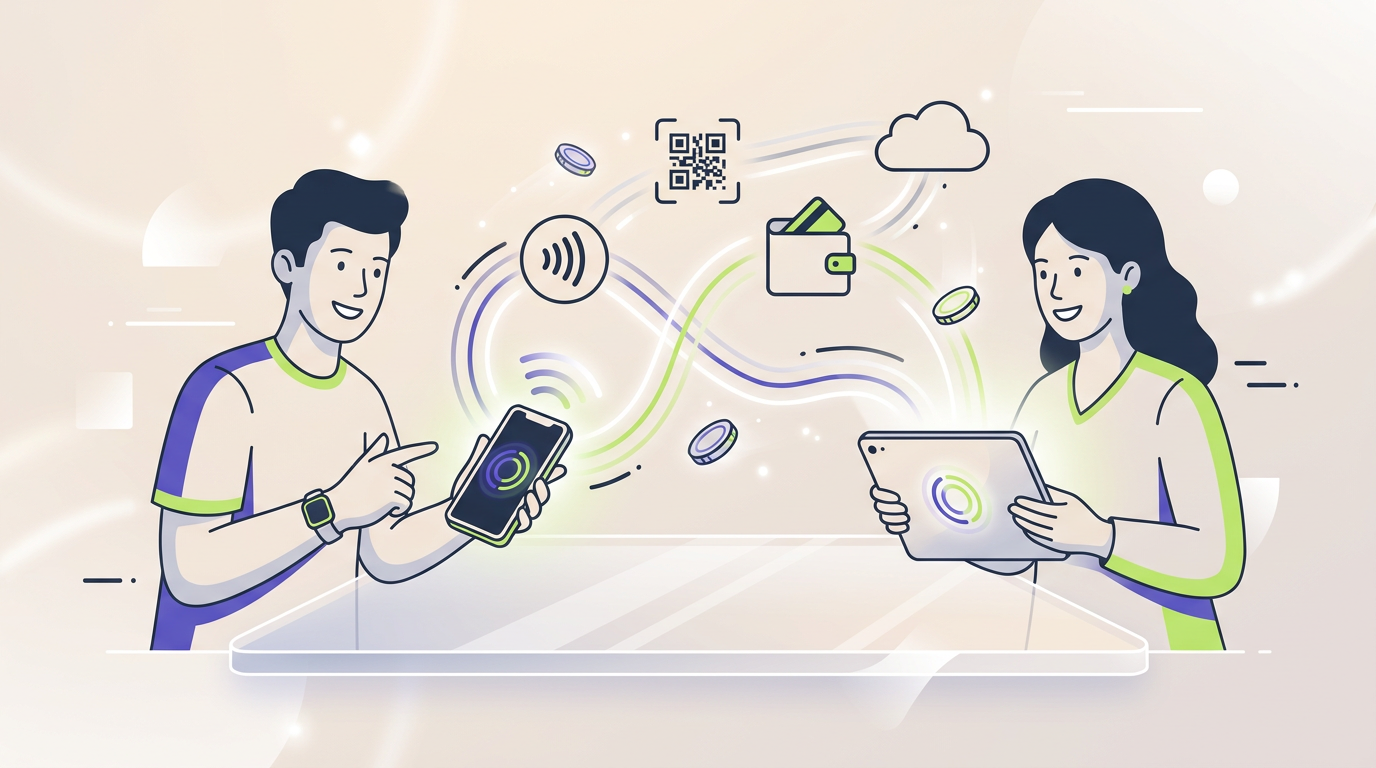
A mobile payment is a transaction initiated, authorized, or completed through a smartphone, tablet, smartwatch, or another portable device. The payment may use a card, bank account, wallet balance, QR code, NFC connection, payment link, or mobile network, while financial institutions and processors complete the authorization and settlement behind the interface.
The phrase describes how the customer accesses or approves a transaction, not necessarily how the money moves between accounts.
A customer may tap a phone at a terminal, scan a merchant QR code, approve a bank transfer, pay inside an application, or send money to another person. Each action can qualify as a mobile transaction even though the underlying payment systems are different.
What Is a Mobile Payment?
A mobile payment is a financial transaction in which a portable device plays an essential role in starting, approving, receiving, or managing the payment.
The device may be used to:
- present a payment credential at a physical terminal;
- scan or display a QR code;
- approve an online purchase;
- send money to another user;
- initiate a bank transfer;
- pay a bill;
- receive a payment request;
- manage a stored wallet balance;
- accept card payments as a merchant.
A phone does not become the source of money simply because it is used at checkout. The money may still come from a debit card, credit card, bank account, prepaid balance, platform account, or mobile-network account.
The device functions as an interface between the user and the financial infrastructure operating behind the transaction.
How Does a Mobile Payment Work?
The exact process depends on the method, but most transactions include several common stages.
1. The Customer Selects a Payment Method
The customer chooses a card, bank account, wallet balance, payment application, or another available funding source.
The selected method determines which provider controls the account, which fees may apply, how quickly the payment can settle, and which dispute process applies.
2. The Device Creates a Payment Instruction
The phone or other device sends the information needed to start the transaction.
The instruction may be created by:
- tapping an NFC terminal;
- scanning a QR code;
- pressing a checkout button;
- entering a recipient’s account details;
- opening a payment link;
- approving a request inside a banking application;
- sending a text-based payment instruction.
3. The User Authenticates
The application or financial institution may require proof that the person using the device is authorized to make the payment.
Possible verification methods include:
- a device passcode;
- a wallet PIN;
- a password;
- a fingerprint;
- facial recognition;
- a one-time verification code;
- confirmation inside another application.
Authentication confirms access to the device or account. Authentication does not guarantee that the recipient is legitimate or that the user has not been manipulated by a scammer.
4. The Payment Is Authorized
The relevant bank, card issuer, wallet provider, payment platform, or account operator checks the transaction.
The authorization process may evaluate:
- available funds or credit;
- account status;
- merchant information;
- recipient details;
- transaction amount;
- device identity;
- location;
- previous payment behaviour;
- fraud signals;
- applicable payment limits.
5. The Transaction Is Processed and Settled
The customer may receive confirmation within seconds, but final settlement can occur later.
Authorization confirms that the transaction can proceed. Settlement completes the financial obligations between the institutions involved.
6. Both Parties Receive a Record
The customer and merchant may receive a receipt, application notification, email, text message, or updated account balance.
A transaction record should identify the amount, date, recipient or merchant, payment method, and current status.
Main Mobile Payment Methods
Digital Wallet Payments
A digital wallet stores or accesses payment credentials, account information, or a prepaid balance.
The customer can use the wallet for online checkout, in-app purchases, person-to-person transfers, or payments at compatible terminals.
A wallet may connect to several funding sources while presenting them through one interface. Our guide to digital wallet types explains the difference between card-based wallets, stored-value accounts, banking applications, and other wallet structures.
Contactless NFC Payments
An NFC transaction occurs when a phone, smartwatch, or another compatible device communicates with a nearby terminal using near-field communication.
The user normally unlocks the device, selects a payment credential when necessary, and places the device close to the reader.
NFC describes the short-range communication method. The transaction may still be processed as a card payment, bank payment, transport charge, or stored-value purchase.
Our separate guide explains how a contactless payment moves from the device to the terminal and then through the authorization system.
QR Code Payments
A QR code mobile payment begins when the customer or merchant scans a machine-readable code containing payment information.
Two common structures are used:
- Merchant-presented code: the merchant displays a QR code and the customer scans it.
- Customer-presented code: the customer displays a code and the merchant scans it.
The QR code may contain the merchant identifier, recipient account, invoice number, requested amount, or a link to a payment page.
A QR code does not determine the funding source. The payment may use a bank account, digital wallet, card, instant-payment network, or platform balance.
In-App Payments
An in-app transaction is completed inside a mobile application without redirecting the user to a physical terminal.
Examples include:
- ordering transport;
- buying food delivery;
- paying for a subscription;
- booking accommodation;
- purchasing digital content;
- paying a marketplace seller;
- renewing a service plan.
The application may store a payment credential or connect to a separate checkout provider.
Mobile Browser Checkout
A customer can complete an online purchase through a website opened on a phone or tablet.
The customer may enter card details, select a saved wallet, approve a bank payment, or follow a payment link.
A mobile browser transaction is considered a mobile payment because the device is used to initiate and approve the purchase, even when NFC or a dedicated application is not involved.
Person-to-Person Payments
Mobile applications can allow users to send money directly to friends, relatives, sellers, contractors, or other account holders.
The recipient may be identified by a phone number, email address, username, QR code, bank account, or payment address.
The transfer may use a wallet balance, card, or bank account. Our guide to a P2P transfer explains funding, settlement, fees, reversals, and common fraud risks.
Mobile Banking Transfers
A banking application can allow a customer to transfer money directly from a bank account.
The user may select a saved recipient, enter account details, scan an invoice, or approve an instant-payment request.
A bank transfer initiated through a phone is a mobile transaction even when no separate wallet is used.
Carrier Billing
Carrier billing allows a purchase to be charged to a mobile-phone account or deducted from prepaid phone credit.
This method is sometimes used for digital content, transport, donations, tickets, or small online purchases.
Carrier billing can be convenient for users without a card or bank account, but charges, subscription terms, refunds, and spending limits require careful review.
Mobile Point-of-Sale Payments
A smartphone or tablet can also be used by a merchant to accept payments.
The merchant may connect a card reader, use a tap-to-phone feature, display a QR code, or send a payment link.
In this case, the mobile device is part of the merchant’s acceptance system rather than only the customer’s payment tool.
Mobile Payment vs Digital Wallet vs Contactless Payment
| Term | What it describes | Example |
|---|---|---|
| Mobile payment | Any payment initiated, approved, accepted, or managed through a portable device | Paying an invoice through a banking app |
| Digital wallet | Software that stores or accesses payment credentials, balances, or digital items | Selecting a saved card in a wallet app |
| Contactless payment | A transaction completed without inserting or swiping the payment instrument | Tapping a phone at a terminal |
| NFC payment | A short-range payment interaction using near-field communication | Holding a smartwatch near a reader |
| QR payment | A transaction started by scanning or presenting a QR code | Scanning a merchant code through a bank app |
| P2P payment | A transfer between individual users or accounts | Sending money to a friend by phone number |
The terms overlap, but they describe different parts of the payment process.
A digital wallet may be used for a mobile transaction. A mobile transaction may be completed without a wallet. A payment can be mobile without being contactless, and a contactless card payment can occur without a mobile device.
What Are Mobile Payment Systems?
Mobile payment systems are the connected technologies, accounts, institutions, rules, and networks that allow transactions initiated through portable devices to be completed.
A complete system can include:
- a customer device;
- a mobile application or browser;
- a payment credential;
- a merchant checkout interface;
- a payment gateway;
- a processor or acquiring institution;
- a bank, issuer, or wallet provider;
- a card, bank-transfer, or instant-payment network;
- authentication and fraud controls;
- settlement and reconciliation systems.
No single company needs to control every layer.
A customer may see one brand while several businesses operate behind the transaction. One company may provide the application, another may process the payment, a bank may hold the funds, and a separate network may transmit the authorization request.
What Is a Mobile Payment Gateway?
A mobile payment gateway is a service that securely passes transaction information from a mobile application or mobile website to the payment-processing infrastructure.
The gateway may:
- collect encrypted payment information;
- connect the merchant to a processor;
- create authorization requests;
- return approval or decline messages;
- support fraud screening;
- manage recurring-payment credentials;
- provide transaction reports;
- help process refunds.
A gateway does not usually hold the customer’s money. The gateway acts as a communication and control layer between the checkout interface and the institutions that authorize and settle the transaction.
Mobile Payment Platforms and Services
These services are the specific functions offered through that environment, such as:
Mobile payment services are the specific functions offered through that environment, such as:
- merchant checkout;
- money transfers;
- bill payment;
- QR acceptance;
- contactless acceptance;
- stored balances;
- currency conversion;
- refund management;
- transaction notifications;
- business reporting.
A platform can offer several services at once. A banking application may provide account transfers and bill payment, while a marketplace application may combine checkout, seller payouts, refunds, and platform credits.
How Long Do Mobile Payments Take?
The speed visible to the customer is not always the same as final settlement speed.
| Payment type | Customer experience | What may happen afterward |
|---|---|---|
| Contactless card or wallet payment | Approval usually appears quickly | Merchant settlement may occur later |
| Instant bank payment | Recipient may receive funds quickly | Final processing depends on the network and account rules |
| Traditional bank transfer | Status may first appear as pending | Completion may depend on banking hours and processing cycles |
| P2P wallet transfer | Balance may update quickly inside the platform | Withdrawal to a bank can take longer |
| Card-funded transfer | The application may confirm immediately | The card transaction may remain pending before posting |
| Carrier billing | Purchase may be confirmed immediately | The charge may appear on a later phone bill |
A fast confirmation does not always mean that the money has reached the final recipient without conditions.
Users should distinguish between authorized, pending, completed, settled, refunded, and reversed transactions.
Mobile Payment Fees
The customer interface may appear free while costs are charged elsewhere in the transaction.
Possible fees include:
- merchant processing fees;
- gateway fees;
- wallet top-up fees;
- bank-transfer charges;
- instant-payment fees;
- card-funding charges;
- withdrawal fees;
- subscription fees;
- currency-conversion markups;
- cross-border charges;
- carrier-billing fees;
- refund or dispute costs for merchants.
The party paying the fee can also vary. A provider may charge the customer, merchant, recipient, platform operator, or a combination of participants.
A useful comparison should therefore examine the total transaction cost rather than only the fee displayed on the first checkout screen.
Are Mobile Payments Secure?
A mobile transaction can be secure when the device, application, payment provider, merchant, and account operator use appropriate controls.
Security depends on the full payment chain rather than one application feature.
Device Authentication
A smartphone can require a passcode, fingerprint, or facial recognition before releasing a payment credential.
A strong screen lock also protects email, text messages, banking applications, and authentication tools that could be used to reset financial accounts.
Tokenization
Some wallet-based transactions replace the original card details with a substitute payment credential.
A restricted token may be less useful to an attacker when it works only with a particular device, merchant, wallet, or transaction environment.
Encryption
Applications and payment providers can encrypt sensitive information while it is stored or transmitted.
Encryption reduces exposure when implemented correctly, but encryption cannot prevent a user from sending money to a dishonest recipient.
Transaction Monitoring
Banks, wallets, processors, and platforms may examine device information, location, payment amount, merchant category, account history, and unusual behaviour.
A suspicious transaction may be declined, delayed, or sent for additional verification.
Our guide to digital payment security explains account protection, fraud monitoring, authorized scams, transaction controls, and common failure points in greater detail.
Common Mobile Payment Risks
Account Takeover
An attacker may gain access to the payment application, email account, phone number, password, or authentication code.
Account takeover can lead to unauthorized payments, changed contact details, added recipients, or loss of access to the account.
Phishing and Fake Support
A criminal may imitate a bank, wallet provider, delivery company, marketplace, or support employee.
The message may ask the user to open a payment link, disclose a verification code, install an application, or move money into a supposed safe account.
Authorized Payment Scams
A legitimate user may approve a transaction after being deceived about the recipient or purpose.
Strong authentication can confirm that the account holder approved the payment while failing to identify that the account holder was manipulated.
Fake Applications
A fraudulent application may imitate a real bank, wallet, merchant, or payment provider.
The application may collect login credentials, card information, identity documents, or authentication codes.
Manipulated QR Codes
A criminal can replace or cover a legitimate merchant QR code with a code that directs funds to another account.
Users should verify the recipient name and amount displayed by the application before confirming the transaction.
Lost or Stolen Devices
A lost phone can expose financial applications, email accounts, saved passwords, text messages, and identity information.
Remote locking, account alerts, a strong passcode, and quick reporting can reduce the damage.
Unsafe Public Networks
An untrusted network can create privacy and security risks, especially when a user ignores certificate warnings, installs unknown profiles, or accesses fake login pages.
Users should avoid entering financial credentials after unexpected redirects or security warnings.
Practical Insight: The Phone Is Not the Payment Rail
The most common misunderstanding is that every transaction made through a phone belongs to one unified mobile-payment system.
In reality, the phone is usually an access point. The underlying transaction may still be:
- a card payment;
- a bank transfer;
- an instant-account payment;
- a wallet-balance transfer;
- a carrier charge;
- a closed-platform transaction;
- a merchant payment-link transaction.
This distinction matters because the underlying rail determines processing rules, settlement speed, refund options, fraud procedures, and possible fees.
Two checkout buttons can look almost identical while providing very different financial protections.
Why Mobile Payments Fail
The Device Is Offline or Has a Weak Connection
Some transactions require the application or merchant terminal to communicate with a remote server.
A customer may need to restore connectivity, reopen the application, or use another method.
The Application Is Outdated
An older application may no longer support the required security protocol, operating system, or payment feature.
Updating both the application and device software can resolve compatibility problems.
The Selected Funding Source Is Unavailable
A card may be expired, a bank account may have insufficient funds, or a stored wallet balance may be too low.
The user should confirm which account is selected before repeating the payment.
Authentication Fails
A fingerprint may not be recognized, a verification code may expire, or the user may enter the wrong passcode.
Repeated failed attempts can temporarily lock the account or trigger additional checks.
The Recipient Information Is Incorrect
A wrong phone number, account identifier, username, or QR code can direct the transaction to the wrong recipient.
Users should confirm recipient information before authorization because completed transfers may be difficult to reverse.
The Transaction Is Blocked by Fraud Controls
An unusual amount, location, merchant, recipient, or device can cause the provider to decline or delay a transaction.
The user may need to verify identity or contact the account provider.
The Merchant Integration Is Misconfigured
A payment can fail when the merchant application, gateway, processor, or checkout page sends incomplete or inconsistent information.
The customer may see a generic error even though the problem exists on the merchant side.
The First Payment Is Still Pending
Customers sometimes repeat a payment after failing to receive immediate confirmation.
Repeated attempts can create duplicate authorizations or charges. The customer should check the transaction history before trying again.
How to Choose a Mobile Payment Service
Check Acceptance
The service should work with the merchants, recipients, websites, and payment systems the user regularly needs.
Review Funding Sources
Check whether the service supports cards, bank accounts, stored balances, cash top-ups, or other required methods.
Compare Total Fees
Review transfer charges, withdrawal costs, currency markups, card-funding fees, and merchant fees.
Understand Transaction Speed
Determine whether the provider describes authorization speed, recipient availability, or final settlement.
Examine Security Controls
Look for device authentication, transaction alerts, account recovery, recipient confirmation, and clear reporting procedures.
Review Refund and Dispute Rules
Check how the service handles unauthorized payments, scams, duplicate transactions, failed transfers, merchant disputes, and refunds.
Check Account Recovery
The provider should explain what happens when a phone is lost, a number changes, an account is locked, or the registered email becomes inaccessible.
Review Privacy Permissions
A payment application should not receive unnecessary access to contacts, messages, location, files, or other device information without a clear purpose.
Advantages and Disadvantages
| Advantages | Disadvantages |
|---|---|
| Convenient payments through a device already carried by the user | Depends on device access, software, battery, or connectivity |
| Supports cards, bank accounts, wallets, QR codes, and transfers | Different methods provide different protections and fees |
| Can reduce checkout time | Fast confirmation may be confused with final settlement |
| Provides transaction alerts and digital records | Fake applications and phishing can target account credentials |
| Can use biometric authentication and tokenization | Authentication cannot prevent authorized scams |
| Useful for remote and in-person transactions | Acceptance varies by merchant, country, and provider |
| Allows small businesses to accept payments with fewer devices | Merchant integrations can fail or create duplicate transactions |
Mobile Payment Safety Tips
- Use a strong device passcode. Protect the entire phone rather than only the payment application.
- Enable biometric authentication. Use fingerprint or facial recognition where the device and application support it.
- Turn on transaction alerts. Immediate notifications help identify unexpected charges quickly.
- Verify every recipient. Confirm the name, account, phone number, and amount before approval.
- Do not share verification codes. Support staff should not need the user’s password, PIN, or one-time authentication code.
- Install applications from trusted sources. Verify the publisher before entering financial information.
- Check QR payment details. Confirm the recipient displayed by the application rather than trusting the printed code alone.
- Review pending transactions before retrying. This reduces the risk of duplicate payments.
- Keep the device updated. Operating-system and application updates can correct security and compatibility problems.
- Know how to lock the account. Prepare for device loss before an emergency occurs.
Frequently Asked Questions
What is a mobile payment in simple terms?
A mobile payment is a transaction initiated, approved, received, or managed through a smartphone, tablet, smartwatch, or another portable device.
Is a mobile payment the same as a digital wallet?
No. A digital wallet is one tool that can be used for mobile transactions. A user can also pay through a banking application, QR code, browser checkout, payment link, or carrier account without using a separate wallet.
Is every mobile payment contactless?
No. Contactless transactions involve communication with a nearby reader. Online checkout, bank transfers, payment links, and in-app purchases can be mobile without being contactless.
What is a QR code mobile payment?
A QR transaction begins when a customer or merchant scans a code containing recipient, merchant, invoice, or payment information. The funding source can be a bank account, card, wallet, or platform balance.
What is a mobile payment gateway?
A mobile payment gateway securely passes transaction information from a mobile checkout interface to the payment processor and returns the authorization result to the merchant application or website.
Can mobile payments work without a bank account?
Some services support stored balances, cash top-ups, prepaid accounts, carrier billing, or card funding. Availability depends on the provider and local payment infrastructure.
How fast are mobile payments?
Customer confirmation may appear within seconds, but recipient availability and final settlement depend on the payment method, provider, banking network, and account rules.
Can a completed mobile transaction be reversed?
Reversal options depend on the funding source and transaction type. Card purchases, bank transfers, wallet transfers, and payments voluntarily sent to another user can follow different dispute procedures.
Are mobile payment apps safe?
Mobile payment apps can be secure when they use strong authentication, encryption, fraud monitoring, tokenization, and protected account recovery. Users still face phishing, fake applications, device theft, and authorized-payment scams.
Why is a mobile transaction showing as pending?
A pending status means the transaction has started but has not completed every processing or settlement step. The user should check the transaction history before attempting the same payment again.
Summary
A mobile payment is any transaction in which a portable device is used to initiate, approve, accept, receive, or manage the payment.
Mobile transactions can use digital wallets, cards, bank accounts, QR codes, NFC, payment links, carrier billing, stored balances, or merchant acceptance applications.
The most important points are:
- a phone is usually the payment interface rather than the source of funds;
- mobile, contactless, NFC, wallet, QR, and P2P payments are related but different concepts;
- the underlying payment rail determines fees, settlement, refunds, and dispute rules;
- a gateway connects the mobile checkout interface to payment-processing infrastructure;
- fast authorization does not always mean final settlement;
- authentication cannot prevent every scam;
- users should verify recipients and review pending transactions before retrying;
- the best service depends on acceptance, costs, speed, security, recovery, and consumer protection.