
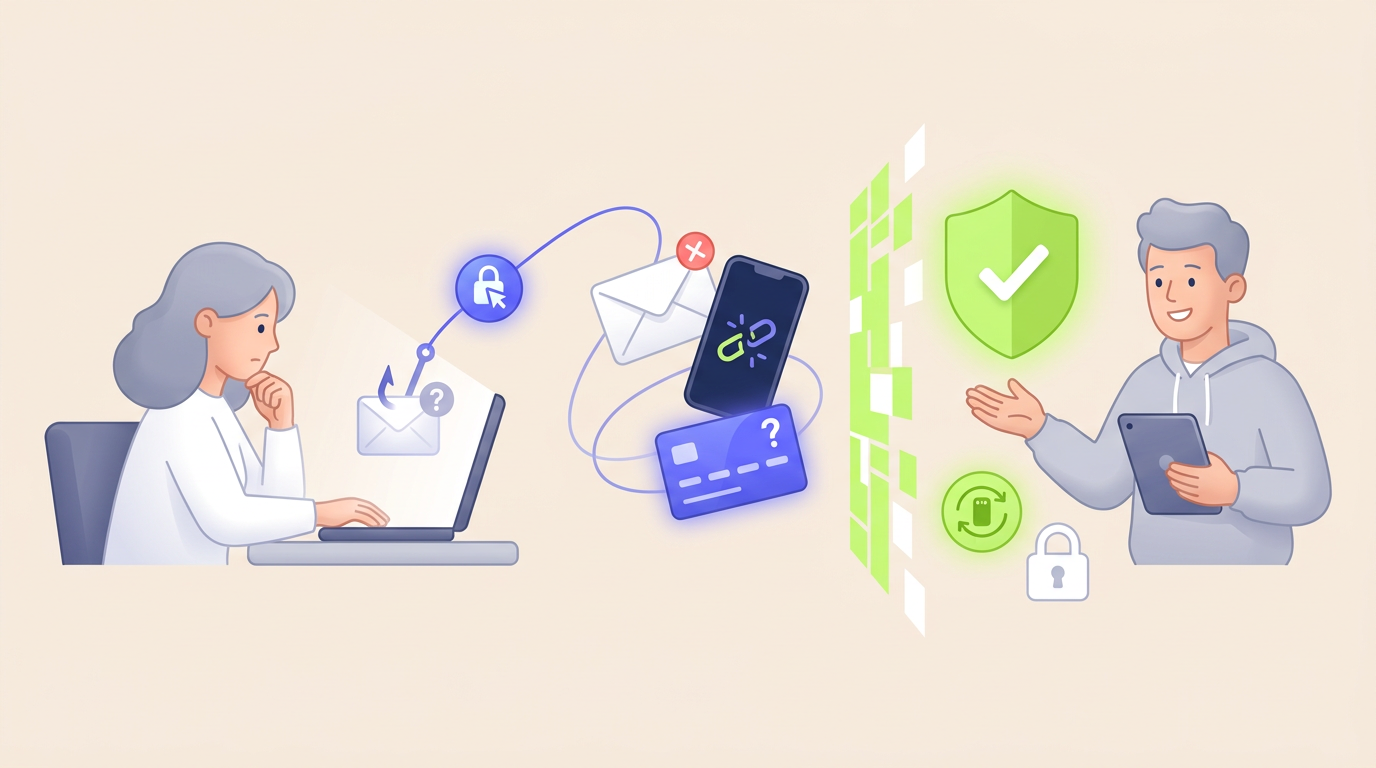
Phishing is a social-engineering attack in which a criminal impersonates a trusted person, company, or service to persuade someone to reveal information, open a harmful file, visit a fake website, approve a payment, or provide account access. The attack may arrive through email, text, phone calls, social media, QR codes, or online advertising.
The phishing meaning is broader than a badly written email asking for a password. Modern attacks can copy real branding, continue an existing conversation, imitate a familiar business process, and use accurate personal or company information.
The FBI Internet Crime Complaint Center recorded 191,561 complaints in its combined Phishing/Spoofing category during 2025. Reported losses attributed directly to that category exceeded $215 million, although phishing can also contribute to losses classified under identity theft, account takeover, investment fraud, business email compromise, and other crimes.
What Is Phishing?
Phishing is a form of digital deception that uses impersonation to influence a person’s decision.
The attacker does not always need to break through a technical security system. Instead, the attacker may persuade an authorized user to complete the dangerous action voluntarily.
A phishing scam may attempt to obtain:
- account passwords;
- one-time verification codes;
- payment-card information;
- banking credentials;
- identity documents;
- personal or business data;
- access to email or cloud accounts;
- approval for a fraudulent payment;
- installation of malicious software;
- remote access to a device.
The requested action can appear ordinary. A message may ask the recipient to review a document, confirm a delivery, renew a subscription, approve an invoice, reset a password, or respond to a security warning.
The danger comes from the identity and purpose behind the request, not necessarily from the action itself.
How Does a Phishing Attack Work?
Most attacks follow a recognizable process, even when the message, channel, and objective are different.
1. The Attacker Chooses an Identity
The criminal selects a person or organization that the target is likely to trust.
Common identities include:
- a bank or payment provider;
- an employer or senior manager;
- a delivery company;
- a government agency;
- a marketplace seller or buyer;
- a cloud-storage provider;
- a colleague, friend, or relative;
- a technical-support representative.
2. The Attacker Creates a Believable Reason
The message normally gives the recipient a reason to act.
The attacker may claim that an account has been locked, a payment has failed, a package cannot be delivered, an invoice is overdue, a document needs approval, or suspicious activity has been detected.
3. The Message Creates Pressure
Urgency reduces the time available for verification.
A recipient may be warned that money will be lost, access will be suspended, a delivery will be cancelled, or a manager is waiting for an immediate response.
Fear is not the only technique. Attackers also use curiosity, authority, financial opportunity, sympathy, and routine workplace expectations.
4. The Recipient Is Directed Toward an Action
The requested action may involve:
- clicking a link;
- opening an attachment;
- scanning a QR code;
- calling a phone number;
- replying with sensitive information;
- logging in through a supplied page;
- changing payment instructions;
- sending money or digital assets.
5. The Attacker Uses the Result
Stolen credentials may be used immediately or saved for later. An attacker can attempt to enter email, banking, marketplace, cloud, or social-media accounts.
A compromised account may then be used to send more convincing messages to the victim’s contacts.
Why Do Phishing Scams Work?
A successful message usually combines trust, timing, and a believable process.
The attacker does not need to create a perfect imitation. The message only needs to look reasonable long enough for the recipient to complete the requested action.
Several conditions increase the chance of success:
- the request resembles a normal task;
- the sender appears to have authority;
- the message arrives during a busy or stressful period;
- the recipient expects a delivery, invoice, or account notification;
- the attacker includes accurate personal information;
- the action appears easier than independent verification.
Expert Insight: Context Can Be More Persuasive Than Design
A professionally designed message is not automatically more dangerous than a simple one. The strongest signal is often whether the request fits the recipient’s current situation.
An ordinary-looking invoice sent to the correct employee during a real purchasing process may be more convincing than a visually perfect message sent without context.
Phishing protection should therefore examine the requested action and business process, not only spelling, logos, or page design.
Main Types of Phishing
| Type | Delivery method | Typical objective |
|---|---|---|
| Email phishing | Mass or targeted email | Steal credentials, deliver malware, or redirect payments |
| Spear phishing | Personalized message aimed at a specific person | Obtain access, data, money, or internal information |
| Smishing | SMS, messaging app, or mobile notification | Direct the recipient to a fake page or fraudulent phone number |
| Vishing | Telephone or voice message | Collect information, verification codes, or payment approval |
| Whaling | Targeted communication aimed at senior leaders | Gain high-level access or authorize large financial actions |
| Clone phishing | Copy of a legitimate earlier message | Replace a real link or attachment with a harmful version |
| QR phishing | Printed or digital QR code | Open a fake login, payment, or account-verification page |
| Social-media phishing | Direct message, comment, advertisement, or fake profile | Steal credentials, money, or account access |
These categories can overlap. A personalized text message may be both spear phishing and smishing, while a fraudulent phone call targeting an executive may combine vishing and whaling.
Phishing, Spoofing, and Social Engineering
| Term | Main meaning | Relationship to phishing |
|---|---|---|
| Phishing | A deceptive request designed to trigger a harmful action | The complete attack method |
| Spoofing | Falsifying an identity, address, number, domain, or display name | A technique often used to make the request look legitimate |
| Social engineering | Manipulating people into revealing information or taking action | The broader category that includes phishing |
| Malware | Software created to damage, monitor, disrupt, or gain unauthorized access | A possible payload delivered through a phishing message |
| Scam | A deceptive scheme designed to obtain money, information, or another benefit | Phishing is one method used to conduct scams |
Spoofing alone does not always complete the attack. A falsified display name becomes dangerous when it supports a request that causes the recipient to reveal information, open a file, approve a transaction, or trust a fraudulent destination.
Common Phishing Examples
Fake Account Security Alert
A message claims that an account was accessed from an unknown location. The recipient is told to click a button and verify the account immediately.
The button opens a page that copies the real login screen. Any username, password, or verification code entered on the page is sent to the attacker.
Delivery or Customs Message
A text claims that a package cannot be delivered until the recipient confirms an address or pays a small fee.
The payment may appear minor, but the real objective can be collecting card information, identity data, or access to a mobile account.
Payment or Invoice Change
A business receives a message asking it to send an invoice payment to a new bank account.
The message may appear to come from a supplier, manager, or company executive. The safest response is to verify the change through an established phone number or another independent channel.
Payment controls, transaction verification, and account monitoring are explained in more detail in our guide to digital payment security.
Password Expiration Notice
An employee receives a warning that an email or workplace password will expire within several hours.
The supplied link opens a fake company login page. The attacker can use the stolen credentials to access email, documents, customer information, or internal payment conversations.
Fake Marketplace Buyer or Seller
A buyer asks a seller to continue the transaction outside the marketplace. The seller then receives a fake payment confirmation or a link requesting card information to release the funds.
A fraudulent seller may use the same technique to collect deposits for goods that do not exist.
Wallet or Payment-App Verification
A message claims that a wallet account must be verified, upgraded, or unlocked. The recipient is directed to a counterfeit login page or asked to share a one-time code.
Understanding how a digital wallet works helps users distinguish the wallet interface from the bank account, card, or stored balance operating behind it.
Technical-Support Message
A pop-up, email, or call claims that a device has been infected or an account has been compromised.
The criminal may request remote access, payment for unnecessary support, or installation of software that provides ongoing access to the device.
How to Spot a Phishing Message
No single warning sign proves that a message is fraudulent. A reliable decision comes from checking several signals together.
Unexpected Request
The message asks for an action that the recipient did not expect, such as resetting a password, approving a document, paying a fee, or changing bank details.
Pressure or Urgency
The sender claims that immediate action is necessary to avoid suspension, loss, legal trouble, missed delivery, or financial damage.
Suspicious Sender Address
The display name may look correct while the actual email address uses a different domain, additional word, altered spelling, or unrelated service.
Unusual Link Destination
The visible link text can name a trusted organization while the actual destination leads somewhere else.
On a computer, the destination may appear when the pointer is placed over the link without clicking. On a phone, users should avoid opening a suspicious link merely to inspect it.
Request for Credentials or Codes
A message asks for a password, PIN, recovery phrase, verification code, card security code, or other information normally kept private.
Change to a Normal Process
The sender asks the recipient to bypass a normal approval process, use a different account, keep the request confidential, or communicate through an unfamiliar channel.
Unexpected Attachment
An attached invoice, document, archive, or form arrives without a clear reason. The file may request that the user enable additional features or ignore a security warning.
Mismatch Between Message and Account
The message describes a problem, but the user’s account shows no corresponding alert after the user opens the official application or website independently.
Warning Signs That Are No Longer Reliable by Themselves
Older advice often treated poor grammar and obvious design mistakes as the main indicators of a phishing attack.
Those signs can still be useful, but they are not sufficient. Attackers can produce clear language, accurate logos, convincing invoices, and personalized messages.
| Misleading assumption | Why it is unsafe |
|---|---|
| The message has correct grammar | Clear language does not prove that the sender is legitimate |
| The website shows a lock icon | Encryption protects the connection but does not verify the site’s purpose |
| The display name is familiar | Display names can be copied or changed |
| The message contains the correct logo | Public logos can be copied easily |
| The sender knows personal information | Information may come from social media, public records, or a data breach |
| The message continues a real conversation | An email account or conversation thread may have been compromised |
| The caller ID looks correct | Phone-number information can be spoofed |
How to Check a Suspicious Message Safely
- Stop before taking the requested action. Do not allow urgency to replace verification.
- Do not use the supplied contact details. Avoid the message’s phone number, reply address, link, or QR code.
- Open the official service independently. Use a known application, saved bookmark, or manually entered website address.
- Check the real account. Look for the warning, invoice, payment, document, or security event mentioned in the message.
- Contact the person through a known channel. Call a saved number or begin a new conversation rather than replying to the suspicious message.
- Review the requested action. Ask why the sender needs the information and whether the request follows the normal process.
- Report the message. Use the reporting feature provided by the email service, employer, marketplace, bank, or communication platform.
- Delete the message after reporting. Removing the message reduces the chance of clicking it later.
What Happens After Someone Clicks?
Clicking a suspicious link does not always produce the same outcome.
Credential Theft
The page imitates a real login and records the information entered by the victim.
Verification-Code Theft
The attacker attempts to log in with the stolen password and asks the victim to provide the code sent by the real service.
Session Theft
A more advanced attack may attempt to capture an authenticated session rather than only a reusable password.
Malware Installation
A file or application can install unwanted software, monitor activity, steal data, or provide remote access.
Payment Diversion
The victim may be directed to send money, approve a transfer, or enter payment details into a fraudulent checkout page.
Information Collection
The page may request personal details that help the criminal conduct identity theft or create a more targeted attack later.
What to Do After Clicking a Phishing Link
If No Information Was Entered
- close the page;
- do not download or open any files;
- check whether the browser or device issued a security warning;
- update the browser and operating system;
- run the device’s trusted security scan where appropriate;
- report the message.
After Entering a Password
- change the affected password through the real website or application;
- change the password anywhere else it was reused;
- sign out other active sessions;
- review account recovery details;
- enable strong multi-factor authentication;
- check for unfamiliar forwarding rules, devices, or account changes.
If a Verification Code Was Shared
Contact the account provider immediately. A one-time code may have allowed the attacker to complete a login, password reset, payment, or device registration.
If Payment Information Was Entered
Contact the bank, card issuer, or payment provider using official contact information. Ask whether the payment instrument should be frozen or replaced and review recent transactions.
If Money Was Sent
Contact the financial provider as quickly as possible. Early reporting may improve the chance of stopping or tracing a transfer, although recovery is not guaranteed.
For transactions initiated from a phone, our guide to mobile payment methods explains how cards, bank transfers, wallets, QR codes, and payment applications use different processing and dispute procedures.
If a Work Account Was Involved
Notify the organization’s IT or security team immediately. Do not wait to see whether the account is misused.
The security team may need to reset credentials, revoke sessions, preserve evidence, block a domain, warn other employees, and review access logs.
How to Prevent Phishing
Use Unique Passwords
A unique password limits the damage when one account is compromised. A password manager can help users create and store different credentials for different services.
Enable Strong Multi-Factor Authentication
Multi-factor authentication can prevent some account takeovers after a password is stolen.
However, methods based on codes or approval prompts can still be targeted. Phishing-resistant authentication reduces reliance on the user’s ability to recognize every fraudulent login page.
Use Official Applications and Saved Bookmarks
Open sensitive services through trusted applications, saved bookmarks, or manually entered addresses rather than links received in unexpected messages.
Enable Account Notifications
Login, password-change, recipient-addition, and transaction alerts can reveal unauthorized activity quickly.
Keep Software Updated
Updates can correct vulnerabilities that malicious attachments, applications, or websites attempt to exploit.
Verify Payment Changes Independently
Businesses should confirm new bank details, urgent transfers, refunds, and changes to payment instructions through an established channel.
Limit Public Information
Public job titles, travel plans, supplier relationships, organizational charts, and personal details can help attackers create believable messages.
Phishing Protection for Businesses
Employee awareness is valuable, but training alone is not a complete security strategy.
A business should assume that some deceptive messages will reach employees and that a convincing message may eventually be opened.
| Control | Primary benefit | Limitation |
|---|---|---|
| Email filtering | Blocks many known malicious messages and attachments | New or compromised senders can still pass through |
| Email authentication | Helps identify unauthorized use of company domains | Does not validate every message from legitimate but compromised accounts |
| Multi-factor authentication | Reduces account takeover from stolen passwords | Some methods remain vulnerable to social engineering |
| Password manager | Reduces password reuse and may avoid filling credentials on unrelated domains | Users can still reveal information manually |
| Employee reporting process | Allows faster investigation and warning of other users | Works only when reporting is easy and encouraged |
| Payment verification | Reduces fraudulent changes to bank and invoice details | Requires consistent use, including during urgent requests |
| Least-privilege access | Limits damage from one compromised account | Does not prevent the initial compromise |
| Incident-response plan | Improves containment, communication, and recovery | Must be tested before a real incident |
Expert Insight: Design the Process for an Eventual Mistake
A security program that depends on every employee identifying every fraudulent message will eventually fail.
The stronger approach combines user awareness with technical controls and business procedures that limit what one mistaken click can accomplish.
Payment approvals, account privileges, authentication, reporting, monitoring, and incident response should continue protecting the organization after a message reaches the inbox.
How to Report Phishing
Reporting helps the relevant organization block the sender, investigate related accounts, warn other users, and improve detection systems.
A suspicious message can be reported to:
- the email or messaging provider;
- the organization being impersonated;
- the recipient’s employer or security team;
- the bank, card issuer, wallet, or payment provider;
- the marketplace or social-media platform;
- the appropriate national cybercrime or consumer-protection authority.
Preserve useful details before deleting the message when an investigation may be required. Relevant information can include the sender address, time, subject, phone number, destination address, payment information, screenshots, and transaction records.
Frequently Asked Questions
What is phishing in simple terms?
Phishing is an attempt to impersonate a trusted person or organization and persuade someone to reveal information, open a harmful file, visit a fake page, approve a payment, or provide account access.
What is a phishing attack?
A phishing attack is the complete deceptive process, including the false identity, message, requested action, fraudulent destination, and attacker’s attempt to use the information, access, or money obtained from the victim.
What is a phishing scam?
A phishing scam is a fraudulent scheme that uses deceptive electronic communication to steal money, credentials, personal data, or access to accounts and devices.
What are the most common types of phishing?
Common types include email phishing, spear phishing, smishing, vishing, whaling, clone phishing, QR phishing, and attacks delivered through social-media platforms.
Can phishing happen without email?
Yes. Attacks can arrive through text messages, calls, messaging applications, social media, QR codes, search advertisements, websites, online marketplaces, and even physical letters.
Is a website safe when it has HTTPS?
Not necessarily. HTTPS encrypts data between the browser and website, but a fraudulent website can also use encryption. Users must still verify the domain and purpose of the page.
Can multi-factor authentication stop phishing?
Multi-factor authentication can block some account takeovers after a password is stolen. However, attackers may also request verification codes, trigger approval prompts, or imitate login processes. Phishing-resistant authentication provides stronger protection against counterfeit login pages.
Should a suspicious message be answered?
No. Replying can confirm that the address or phone number is active and may continue the manipulation. Verify the request through a separate, trusted communication channel.
What should someone do after entering a password on a fake page?
The user should immediately change the password through the real service, revoke active sessions, update reused passwords, review recovery details, enable strong authentication, and report the incident.
Why are phishing attacks difficult to detect?
Some attacks use real personal information, compromised accounts, familiar workflows, accurate branding, and appropriate timing. A message can appear normal because it is designed around the recipient’s actual circumstances.
Summary
Phishing is a social-engineering attack that uses impersonation and deception to influence a person’s actions.
The attack may seek passwords, payment information, personal data, account access, malware installation, or approval of a fraudulent transaction.
The most important points are:
- phishing can arrive through email, text, calls, social media, QR codes, and websites;
- the requested action is often more important than the visual quality of the message;
- correct grammar, familiar logos, HTTPS, and known display names do not prove legitimacy;
- suspicious requests should be verified through an independent channel;
- users should never share passwords, verification codes, PINs, or recovery phrases;
- rapid action is important after credentials, payment details, or money are exposed;
- businesses should combine training with authentication, filtering, payment controls, monitoring, and incident response;
- the safest default is to open the real service independently rather than using an unexpected link.