
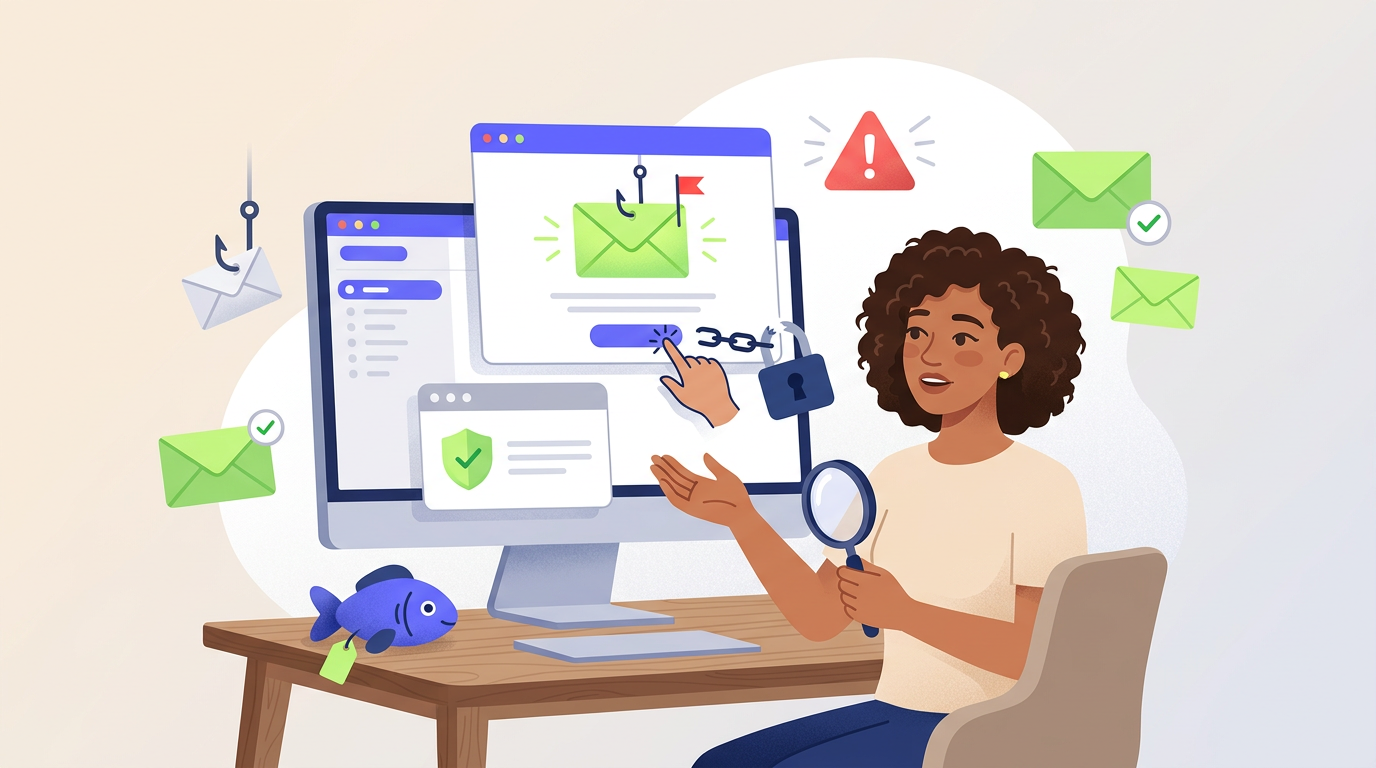
A phishing email is a deceptive message that impersonates a trusted person, company, or service to steal credentials, collect sensitive information, deliver malware, or redirect money. The email often uses a believable problem or routine request to persuade the recipient to click a link, open an attachment, reply with data, or approve a transaction.
Email phishing remains effective because the message can arrive inside a familiar business or personal workflow. A fake password alert, delivery notice, invoice, shared document, payment confirmation, or support request may resemble something the recipient handles every day.
In the first quarter of 2026, the Anti-Phishing Working Group observed 971,181 phishing attacks across all delivery channels. Meanwhile, the FBI recorded 191,561 Phishing/Spoofing complaints during 2025. These figures show the scale of the broader threat, but they do not measure every deceptive email that reached an inbox or contributed to another category of fraud.
What Is a Phishing Email?
A phishing email is an electronic message designed to manipulate the recipient into completing an action that benefits an attacker.
The email may try to obtain:
- account usernames and passwords;
- one-time verification codes;
- banking or payment-card information;
- personal or business documents;
- employee payroll details;
- access to cloud services;
- approval for a fraudulent payment;
- installation of malicious software;
- remote access to a computer or phone.
The attacker normally pretends to represent an organization or person the recipient already knows. Common identities include banks, delivery companies, employers, online marketplaces, payment providers, government agencies, cloud-storage services, and technical-support teams.
Email phishing is one delivery method within the broader category of phishing attacks. Other attacks may arrive through text messages, phone calls, QR codes, social media, advertisements, or fraudulent websites.
How Does a Phishing Email Work?
Most campaigns follow a similar sequence, although the appearance and objective can vary.
1. The Attacker Chooses a Trusted Identity
The attacker selects a sender that the recipient is likely to recognize or obey.
A criminal may impersonate:
- a bank or card issuer;
- a senior manager;
- a supplier or customer;
- a delivery company;
- an email administrator;
- a payroll or human-resources employee;
- a marketplace support team;
- a cloud-document service.
2. The Email Creates a Plausible Situation
The message gives the recipient a reason to act. For example, it may claim that a password is expiring, an account has been suspended, a payment failed, a package cannot be delivered, or a document requires approval.
A convincing pretext often matches a real event. Someone expecting a parcel is more likely to trust a delivery notice. Likewise, an employee involved in purchasing may treat an invoice or banking update as routine.
3. The Message Applies Pressure
Urgency encourages the recipient to react before checking the request independently.
The email may warn that:
- an account will close;
- a payment will be cancelled;
- a delivery will be returned;
- a subscription will expire;
- a manager is waiting;
- a security incident is already in progress.
However, fear is not the only technique. Attackers also use curiosity, authority, financial opportunity, sympathy, and convenience.
4. The Recipient Receives a Requested Action
The message may instruct the recipient to:
- click a login button;
- open an invoice or document;
- scan a QR code;
- reply with personal details;
- call a supplied phone number;
- change payment instructions;
- enable document features;
- download an application.
5. The Attacker Uses the Result
After obtaining credentials, the attacker may enter an email, banking, workplace, marketplace, or cloud account. Access to one account can also help the criminal reset passwords for other services.
In addition, a compromised mailbox can make later messages more believable. The attacker may study real conversations, identify invoices, and send fraudulent replies from the legitimate account.
Anatomy of a Phishing Email
| Email element | What the recipient sees | What requires verification |
|---|---|---|
| Display name | A familiar company or person | The complete sender address and domain |
| Subject line | An urgent warning or routine request | Whether the event appears in the real account |
| Greeting | A name, email address, or generic introduction | Whether the sender normally communicates this way |
| Message body | A problem, opportunity, or instruction | Whether the requested action follows the normal process |
| Link or button | A branded login or confirmation button | The actual destination domain |
| Attachment | An invoice, document, form, or archive | Whether the file was expected and independently confirmed |
| Reply-to address | Often hidden from immediate view | Whether replies go to a different account |
| Signature | Logos, addresses, legal text, and contact details | Whether copied branding is being used as false proof |
No single element proves that a message is safe. A real logo, correct grammar, familiar signature, and encrypted website can all appear in a fraudulent campaign.
Common Phishing Email Examples
Fake Password Expiration Email
The message claims that an email or workplace password will expire within several hours. A button directs the user to a counterfeit login page.
After the victim enters credentials, the attacker may immediately attempt to access the real account. The fake page may also request the verification code sent by the legitimate service.
Shared Document Notification
An email announces that a colleague or customer shared a document. The recipient clicks a link and sees a page that imitates a cloud-storage or office platform.
The page may collect login details or ask the user to authorize a fraudulent application with access to email, contacts, or files.
Delivery Problem
A fake courier message claims that a package cannot be delivered until the recipient confirms an address or pays a small charge.
The low requested amount can reduce suspicion. However, the real objective may be payment-card theft, account registration, or collection of identity information.
Invoice or Banking Change
A supplier appears to request payment to a new bank account. In another version, a manager asks an employee to process an urgent transfer.
Businesses should verify any new payment destination through an established contact method. Strong digital payment security depends on independent confirmation, approval controls, transaction limits, and account monitoring rather than email trust alone.
Payroll or Human-Resources Request
An attacker impersonates an employee and asks payroll staff to update bank details. Alternatively, a fake benefits or tax document directs workers to a credential-stealing page.
The message may include the employee’s real name, position, manager, or workplace address obtained from public sources.
Fake Account Security Alert
A message warns that a bank, marketplace, wallet, or social-media account was accessed from an unknown device.
The email instructs the recipient to secure the account through a supplied link. Instead, the link opens a fraudulent page controlled by the attacker.
Digital Wallet Verification
A fake provider claims that a wallet must be verified, reactivated, or upgraded. The victim may be asked to enter a password, card details, recovery information, or a one-time code.
Our guide to digital wallet accounts explains the differences between card credentials, bank-linked access, stored balances, and the wallet interface visible to the user.
Technical-Support Attachment
The email states that a device has a security problem and provides a diagnostic file, remote-access program, or telephone number.
After contact begins, the attacker may request device access, collect credentials, or charge for unnecessary support.
How to Spot Phishing Emails
The best way to spot phishing emails is to evaluate the sender, request, destination, timing, and expected business process together.
Check the Complete Sender Address
A display name can say “Account Security” or show the name of a real employee while the actual address belongs to an unrelated domain.
Look for:
- misspelled company names;
- extra words or symbols;
- unfamiliar domain extensions;
- free email accounts used for business requests;
- letters replaced with similar-looking characters.
Still, a correct address does not guarantee safety. An attacker may compromise the sender’s real mailbox.
Compare the Reply-To Address
The visible sender and reply destination can be different.
A mismatched reply-to field may redirect the conversation to an account controlled by the attacker. Therefore, check the address before replying with sensitive information.
Inspect the Actual Link Destination
The visible text on a button does not need to match its destination.
On a desktop computer, placing the pointer over a link may reveal the target address without opening it. On a phone, avoid pressing a suspicious link merely to inspect it.
Check the registered domain carefully. A long address can contain a trusted company name while the actual domain belongs to someone else.
Look for an Unexpected Request
The email may ask for an action that the sender has never requested before.
Examples include:
- changing supplier bank details;
- buying gift cards;
- sharing a verification code;
- resetting a password through a message link;
- moving a conversation outside a marketplace;
- installing remote-access software;
- keeping the request confidential.
Question Artificial Urgency
Deadlines can be real, but attackers use urgency to suppress verification.
Before acting, ask whether the request can be checked through the official application, website, known phone number, or a new message to the supposed sender.
Treat Unexpected Attachments Carefully
An attachment may be described as an invoice, document, voicemail, shipping form, or tax notice.
Files that request macros, editing permissions, software installation, or disabled security controls require particular caution.
Check the Real Account Independently
When an email reports a security alert, failed payment, delivery problem, or subscription issue, open the official application or website independently.
If the event is genuine, the same warning will often appear inside the real account.
Warning Signs That Are Weak When Used Alone
| Common assumption | Why it can mislead the recipient |
|---|---|
| The grammar is correct | Attackers can produce clear and professional language |
| The email contains a real logo | Public branding can be copied easily |
| The sender knows personal information | Details may come from public profiles or data breaches |
| The website uses HTTPS | Encryption does not prove that the site is legitimate |
| The email continues an existing conversation | A real mailbox or conversation thread may be compromised |
| The attachment has a familiar file type | Common documents can still contain harmful links or instructions |
| The message passed the spam filter | No filtering system blocks every new or targeted campaign |
Grammar and design can support an assessment, but the requested action and verification process provide stronger evidence.
Phishing Email vs Spam, Spoofing, and Business Email Compromise
| Term | Main purpose | Typical example |
|---|---|---|
| Phishing email | Manipulate the recipient into revealing information or taking a harmful action | Fake login warning with a credential-stealing link |
| Spam | Send unwanted bulk communication | Unrequested advertising message |
| Email spoofing | Make sender information appear to come from another identity | Copied display name or falsified address |
| Business Email Compromise | Use impersonation or a compromised account to redirect business payments or sensitive processes | Fraudulent supplier bank-detail change |
| Malware delivery | Install harmful software through a file or link | Fake invoice containing a malicious attachment |
These categories overlap. A spoofed message can deliver a phishing link, while a compromised business mailbox can support payment fraud.
The FBI recorded more than $3.04 billion in reported Business Email Compromise losses during 2025. BEC is not identical to ordinary email phishing, but deceptive or compromised email communication often plays a central role in the fraud.
Why Compromised Email Threads Are Especially Dangerous
Many security guides focus on obviously fake senders. However, a message from a genuine account can be more convincing.
After entering a mailbox, an attacker may learn:
- which suppliers receive payments;
- who approves invoices;
- how employees sign messages;
- when a transaction is expected;
- which documents normally appear in the conversation;
- which employee is travelling or unavailable.
The attacker can then reply inside a real conversation and change only the payment instructions, attachment, or link.
Consequently, businesses should verify sensitive changes even when the request arrives from a known address and follows a real discussion.
How to Check a Suspicious Email Safely
- Pause before clicking or replying. Do not let urgency determine the decision.
- Read the complete sender address. Expand the message details when necessary.
- Check the reply-to field. Confirm that replies will not go to an unrelated account.
- Inspect the destination without opening it. Review the registered domain rather than only the visible button text.
- Open the official service independently. Use a saved bookmark, known application, or manually entered address.
- Verify the event inside the account. Look for the claimed alert, payment, document, or delivery problem.
- Contact the sender through a separate channel. Use a saved telephone number or begin a new conversation.
- Report the message. Use the reporting feature provided by the email service or organization.
- Delete the email after reporting. This reduces the chance of accidental interaction later.
What to Do When a Phishing Email Arrives
Do Not Use the Contact Details in the Message
A fraudulent email may include a fake support number, reply address, website, or QR code.
Instead, find the official contact details independently.
Preserve Evidence When Necessary
A business or fraud victim may need the sender address, message headers, time, subject line, attachments, destination address, and screenshots.
Do not forward a harmful attachment casually to colleagues. Use the organization’s reporting process.
Report the Message
Reporting can help the email provider, employer, bank, or impersonated organization investigate the campaign and protect other users.
When a workplace account is involved, notify the security or IT team promptly rather than waiting for visible misuse.
What to Do After Clicking a Link
No Information Was Entered
- close the page;
- do not open downloaded files;
- review the browser’s download history;
- update the browser and operating system;
- run the device’s trusted security scan where appropriate;
- report the message.
A click alone does not always mean that the account or device was compromised. However, additional action may be necessary when a file downloaded, an application opened, or the browser displayed a security warning.
After Entering a Password
- open the real service independently;
- change the affected password immediately;
- replace the same password on other accounts;
- sign out unfamiliar or active sessions;
- review account-recovery information;
- enable stronger authentication;
- check for unexpected forwarding rules or connected applications.
After Sharing a Verification Code
Contact the account provider immediately. The attacker may have used the code to complete a login, register a new device, change account settings, or authorize a transaction.
After Opening an Attachment
Disconnect the device from sensitive work when malicious activity is suspected and contact the appropriate security team.
Avoid deleting evidence or attempting complex cleanup before receiving instructions in a managed workplace environment.
After Entering Payment Information
Contact the bank, card issuer, or payment provider through official channels. Ask whether the card or account should be frozen, monitored, or replaced.
Review recent and pending transactions because an attacker may test the payment method with a small charge before attempting a larger one.
After Sending Money
Report the transfer to the financial provider immediately. Early intervention may improve the chance of stopping or tracing the payment, although recovery is not guaranteed.
How to Prevent Phishing Emails From Causing Damage
Use Unique Passwords
A unique password limits the damage when one login is stolen. A password manager can create and store separate credentials for different accounts.
Enable Phishing-Resistant Authentication
Phishing-resistant authentication can prevent attackers from reusing passwords and one-time codes on a counterfeit website.
However, authentication cannot stop every email objective. A message may still persuade someone to install malware, disclose personal data, or approve a fraudulent payment.
Use Official Applications and Bookmarks
Access banks, wallets, email accounts, and cloud services through trusted applications or saved addresses rather than unexpected message links.
Turn On Account Alerts
Login, password-change, payment, recipient-addition, and device-registration alerts can reveal suspicious activity quickly.
Keep Software Updated
Current browser, operating-system, email, and security updates reduce the chance that a malicious attachment or website can exploit a known vulnerability.
Separate Verification From the Original Email
A verification method is reliable only when it does not depend on information supplied by the suspicious message.
Call a saved number, open a new conversation, or use the official account interface.
Phishing Email Protection for Businesses
| Control | Main benefit | Important limitation |
|---|---|---|
| Email filtering | Blocks many known senders, links, and attachments | New and targeted attacks can still reach users |
| Domain authentication | Reduces unauthorized use of company domains | Does not stop every lookalike or compromised account |
| Phishing-resistant authentication | Limits reuse of stolen login credentials | Does not prevent malware or fraudulent payment approval |
| Least-privilege access | Limits the damage caused by one compromised account | Does not prevent the initial compromise |
| Payment verification | Reduces fraudulent changes to banking instructions | Fails when employees bypass the process under pressure |
| Employee reporting | Helps security teams investigate and warn others quickly | Must be simple, visible, and blame-free |
| Attachment controls | Restricts risky file types and active content | Links and cloud-based files remain possible |
| Incident-response plan | Improves containment, evidence collection, and recovery | Requires testing before a real incident |
Practical Insight: Protect the Process, Not Only the Inbox
No filter can identify every targeted or newly created message. Therefore, sensitive business processes should remain secure after a deceptive email reaches an employee.
Payment changes, payroll updates, password resets, data exports, and privileged access should require independent verification and appropriate approval.
Why Reported Email Numbers Can Understate the Threat
Phishing statistics depend partly on how attacks are collected and reported.
APWG received reports of 35,583 spam campaigns in Q1 2026, down from 45,355 in Q4 2025 and 81,710 in Q3 2025. However, APWG explained that some email systems prevent users from forwarding messages or harmful URLs to reporting addresses because those systems recognize the content as dangerous.
As a result, a lower number of forwarded campaigns does not automatically prove that fewer fraudulent emails reached users.
Organizations should combine several measurements:
- user reports;
- email-gateway detections;
- blocked links and attachments;
- compromised account investigations;
- fraudulent payment attempts;
- domain and website takedowns;
- authentication alerts.
This broader measurement approach gives a more accurate view than relying on one inbox-reporting metric.
Frequently Asked Questions
What is a phishing email in simple terms?
A phishing email is a fraudulent message that imitates a trusted sender and tries to make the recipient reveal information, open a harmful file, visit a fake website, approve a payment, or provide account access.
What is a phishing email example?
A common example is a fake account-security warning that directs the recipient to a counterfeit login page. Other examples include delivery notices, invoices, shared documents, payroll updates, and payment requests.
How can I tell whether an email is phishing?
Check the complete sender address, reply-to field, actual link destination, requested action, timing, and normal business process. Verify the request through an independent channel.
Can a phishing email come from a real address?
Yes. An attacker may compromise a genuine mailbox and send messages from the legitimate account. This is why sensitive requests still require independent verification.
Does correct grammar mean an email is safe?
No. Attackers can produce professional language, copy branding, and personalize messages. Grammar is only one weak signal.
Is an email safe when it passes the spam filter?
No. Filtering blocks many known threats, but new, targeted, and compromised-account messages may still reach the inbox.
Should I click a link to check whether it is genuine?
No. Open the official service independently through a trusted application, bookmark, or manually entered address.
What should I do after entering a password?
Change the password through the real service, replace reused passwords, sign out active sessions, review recovery settings, enable stronger authentication, and report the incident.
Can multi-factor authentication stop email phishing?
Multi-factor authentication can stop some account takeovers, but attackers may steal one-time codes or pursue other goals. Phishing-resistant authentication offers stronger protection against counterfeit login pages.
How should a business verify new bank details?
The business should confirm the change through an established phone number or another independent channel and require the normal approval process before sending money.
Summary
A phishing email impersonates a trusted sender to steal information, deliver malware, gain account access, or manipulate a payment.
The strongest warning signs involve the requested action, destination, timing, and deviation from the normal process rather than design quality alone.
The most important points are:
- display names, logos, grammar, and HTTPS do not prove legitimacy;
- the complete sender and reply-to addresses require verification;
- unexpected links and attachments should not be opened for inspection;
- account alerts should be checked through the official service;
- known senders can be compromised;
- sensitive payment and account changes need independent confirmation;
- rapid action is essential after credentials, codes, files, or money are exposed;
- businesses should combine filtering, strong authentication, limited access, reporting, and process controls.