
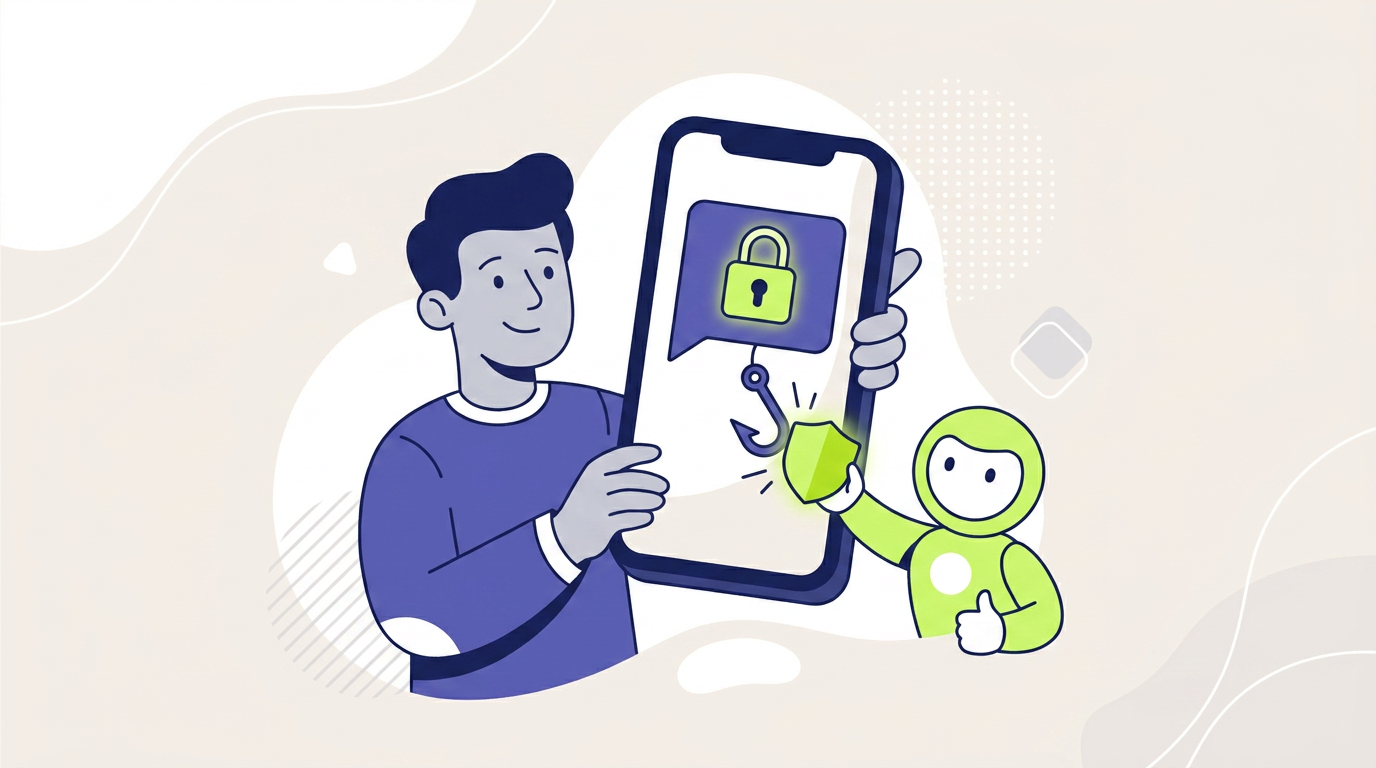
A phishing text is a deceptive SMS or messaging-app communication that impersonates a trusted person, company, or service to steal information, money, credentials, or account access. This type of attack is often called smishing. The message may contain a harmful link, fake phone number, payment request, verification prompt, or invitation to continue the conversation elsewhere.
A smishing attack does not always ask for sensitive information immediately. The first message may only attempt to create curiosity, fear, trust, or a reason to reply.
Once the recipient responds, the attacker can continue the deception through text, a phone call, a fake website, an encrypted messaging application, or a fraudulent payment page.
FTC data show that consumers reported losing $470 million to scams that began with text messages in 2024. That amount was more than five times the reported total for 2020. The five leading scenarios accounted for approximately half of text-related fraud reports reviewed by the agency.
What Is a Phishing Text?
A phishing text is an unsolicited or deceptive mobile message designed to influence the recipient into completing an unsafe action.
The message may attempt to make the recipient:
- click a fraudulent link;
- call a fake support number;
- reply with personal information;
- share a password or verification code;
- enter payment-card information;
- approve a bank or wallet transaction;
- download an application;
- move the conversation to another platform;
- send money to a supposed safe account;
- invest through a fraudulent service.
The attacker normally pretends to represent a trusted organization or familiar person. Common identities include banks, delivery services, government agencies, employers, marketplaces, toll operators, mobile carriers, recruiters, relatives, and technical-support teams.
A phishing text belongs to the broader category of phishing attacks. The main difference is the delivery channel: smishing reaches the target through SMS, mobile messaging, or another text-based communication service.
What Does Smishing Mean?
Smishing means phishing conducted through SMS or another mobile text channel. The term combines “SMS” and “phishing.”
However, modern smishing is not limited to traditional carrier-based messages. Attackers may also use:
- mobile messaging applications;
- social-media direct messages;
- business chat platforms;
- encrypted communication applications;
- automated mobile notifications;
- messages linked to a QR code or payment request.
The delivery technology matters less than the deceptive purpose. A message becomes part of a smishing scheme when it uses impersonation or manipulation to obtain information, access, money, or another benefit.
How Does a Smishing Attack Work?
Most attacks follow a sequence that moves the victim from an unexpected message toward a more valuable action.
1. The Attacker Selects a Believable Identity
The criminal chooses an organization or person that the target is likely to recognize.
The message may appear to come from:
- a bank or payment provider;
- a parcel delivery company;
- a toll-road operator;
- a government department;
- a marketplace or retailer;
- a recruiter or employer;
- a manager or colleague;
- a friend or family member.
2. The Message Creates a Reason to React
The attacker presents a problem, opportunity, or routine task.
Examples include:
- a package cannot be delivered;
- a large card payment requires confirmation;
- an account has been locked;
- a toll or tax remains unpaid;
- a job offer is available;
- a refund is waiting;
- a relative has changed phone numbers;
- a stranger believes the recipient is someone else.
3. Urgency or Curiosity Reduces Verification
A short deadline can make the recipient act before checking the message independently.
The text may warn that an account will close, a fee will increase, a delivery will be returned, or money is already at risk.
Other messages avoid obvious pressure. A simple “Hello, is this Anna?” may only try to start a conversation and confirm that the phone number belongs to an active person.
4. The Recipient Is Moved Toward Another Action
The message may direct the recipient to a link, telephone number, QR code, application, or different messaging service.
In many cases, the original text is only the entry point. The attacker expects to conduct the main fraud on a fake website, during a phone call, or inside another application.
5. The Attacker Uses the Result
Stolen credentials may provide access to email, banking, marketplace, cloud, or social-media accounts.
Payment details may be tested with a small charge. A verification code may allow a password reset, new-device registration, or transaction approval.
When the victim sends money voluntarily, recovery can be difficult because the payment may appear to have been authorized by the legitimate account holder.
The Most Common Phishing Text Examples
Fake Package Delivery Problem
A message claims that a parcel cannot be delivered because the address is incomplete or a small redelivery fee remains unpaid.
The link opens a page that copies the design of a real delivery service. The page may request:
- the recipient’s name and address;
- payment-card information;
- a card security code;
- identity details;
- a password or verification code.
FTC analysis identified fake package-delivery problems as the most frequently reported text scam in its review of 2024 reports.
Fake Bank Fraud Alert
A text claims that a large purchase, transfer, or login attempt occurred on the recipient’s account.
The message may ask the user to reply YES or NO, call a number, or open a security link.
After the recipient responds, the attacker may impersonate a fraud-department employee and claim that the customer must move money into another account for protection.
Real fraud controls and transaction verification are explained in our guide to digital payment security.
Unpaid Toll or Parking Notice
The message states that the recipient owes a small road, parking, or administrative fee.
The amount is often low enough to appear routine. However, the linked page may collect payment-card and identity information rather than process a real charge.
Fake Job or Task Offer
An unexpected message offers flexible work, easy online tasks, or unusually high earnings without a detailed application process.
The supposed job may involve rating products, clicking buttons, reviewing applications, or completing simple transactions.
Later, the victim may be told to deposit money to unlock tasks, improve an account balance, or withdraw earnings that do not actually exist.
Wrong-Number Message
The conversation begins with an apparently innocent mistake, such as:
- “Are we still meeting tomorrow?”
- “Is this Daniel?”
- “Would you like to get coffee?”
- “I found your number in my contacts.”
After the recipient replies, the sender attempts to build a friendship or romantic connection. The conversation may later shift toward an investment opportunity, business proposal, loan, or cryptocurrency platform.
Fake Loan Approval
A message claims that the recipient has already received preliminary approval for a loan.
The supposed provider may request a bank account number, identity document, application fee, or payment to release the funds.
The claim that an application is already in progress can pressure the recipient to respond before questioning whether any loan was requested.
Account Verification Request
The text claims that a wallet, banking, marketplace, or social-media account requires immediate verification.
The link may open a counterfeit login page or request a one-time security code.
A legitimate provider may send account alerts, but an unexpected message should not be trusted merely because it includes the correct company name or logo.
Message From a Manager or Senior Official
An attacker may impersonate a company executive, public official, or senior employee and ask the recipient to move the conversation to another application.
The criminal can then request documents, credentials, gift cards, payments, or sensitive company information.
FBI warnings have described campaigns that combine text messages with AI-generated voice messages and requests to continue communication through encrypted messaging services.
Phishing Text vs Spam Text vs Legitimate Alert
| Message type | Main purpose | Typical action requested | Risk level |
|---|---|---|---|
| Phishing text | Steal information, access, or money | Click, call, reply, pay, or disclose a code | High |
| Spam text | Promote an unwanted product or service | Open an advertisement or unsubscribe | Varies |
| Legitimate security alert | Notify the customer about real account activity | Review the account through an official channel | Depends on authenticity |
| Marketing message | Promote an offer from a known business | Visit a store, application, or website | Usually lower |
| Transactional message | Confirm an order, appointment, or payment | Review information or complete an expected task | Depends on context |
A familiar sender name does not prove that a message is legitimate. Phone numbers, sender labels, and conversation threads can be spoofed, recycled, or compromised.
Likewise, a legitimate company may send real alerts by text. The safer approach is to verify the event through the company’s official application, a saved website address, or a known phone number.
Smishing vs Email Phishing
| Factor | Smishing | Email phishing |
|---|---|---|
| Delivery channel | SMS or mobile messaging | |
| Message length | Usually short | Can contain more detail and formatting |
| Link visibility | Harder to inspect on a small screen | Often easier to inspect on desktop |
| Typical pressure | Immediate mobile response | Account, workplace, or document-based urgency |
| Follow-up channel | Phone call, browser, or messaging app | Website, attachment, reply, or cloud application |
| Common impersonation | Bank, delivery service, toll operator, employer | Employer, supplier, bank, cloud service, delivery company |
Both methods use social engineering, false identity, and a requested action. Our separate guide explains how to identify a phishing email, including sender addresses, attachments, reply-to fields, and compromised email threads.
How to Spot a Phishing Text
No single warning sign proves that a text is fraudulent. A reliable decision requires checking the message, context, requested action, and verification method together.
The Message Was Unexpected
The text refers to an account, package, loan, toll, job, or purchase that the recipient did not expect.
Unexpected does not automatically mean fraudulent, but it creates a reason to verify the event independently.
The Message Creates Artificial Urgency
The sender claims that immediate action is necessary to avoid:
- account suspension;
- a larger fine;
- delivery cancellation;
- financial loss;
- legal consequences;
- missed employment;
- security damage.
The Link Uses an Unfamiliar Domain
A shortened link or long web address can conceal the true destination.
Even when the address contains a familiar brand name, the registered domain may belong to an unrelated party.
The Sender Requests Sensitive Information
Be cautious when an unexpected text asks for:
- a password;
- a one-time code;
- a card security code;
- a recovery phrase;
- a bank account number;
- an identity document;
- remote device access.
The Recipient Is Asked to Move Money for Protection
A bank, payment provider, or government agency should not require a customer to transfer funds into a new account to protect them from fraud.
The “safe account” belongs to the scammer.
The Conversation Must Move Elsewhere
The sender quickly asks the recipient to continue through another messaging application, telephone number, or private platform.
This transition can remove the conversation from the security controls and reporting tools of the original service.
The Message Does Not Match the Real Account
A text reports a payment, login, or delivery problem, but the official application shows no corresponding alert.
Open the account independently rather than using the supplied link.
Warning Signs That Do Not Prove Safety
| Apparent trust signal | Why it can be misleading |
|---|---|
| The sender name looks correct | Sender labels and numbers can be spoofed |
| The message appears in an existing thread | Number reuse or messaging behaviour can place unrelated messages together |
| The text contains personal details | Information may come from public profiles or data breaches |
| The website uses HTTPS | Encryption does not prove that the website is honest |
| The grammar is professional | Clear writing is easy to produce and copy |
| The sender knows about a real event | Attackers can exploit public, stolen, or predictable information |
| The requested fee is small | A small charge may be used to collect valuable card and identity data |
Expert Insight: The First Text May Not Contain the Main Attack
The most important part of a smishing attack may occur after the original message.
The first text often performs only three tasks:
- confirm that the phone number is active;
- identify a recipient willing to engage;
- move the conversation into a more controlled environment.
After the recipient replies, the attacker can switch to a phone call, fake website, remote-access application, or encrypted messenger.
Therefore, security analysis should examine the complete communication chain rather than only the first link or sentence.
How to Verify a Suspicious Text Safely
- Do not click, call, or reply immediately. Pause before following the message’s instructions.
- Identify the claimed organization. Determine which bank, business, agency, employer, or service the sender claims to represent.
- Open the official application independently. Do not use a link included in the message.
- Check the real account. Look for the stated payment, delivery problem, security alert, or account restriction.
- Use a known contact method. Call a saved number, use the number printed on a physical card, or visit a manually entered website.
- Verify payment or employment requests separately. Contact the real manager, supplier, recruiter, or customer through an established channel.
- Report the message. Use the messaging application, carrier, employer, bank, or relevant authority’s reporting process.
- Block and delete the sender. Remove the message after preserving any evidence required for a report.
What Happens When Someone Replies?
A reply confirms that the phone number is active and that the recipient reads incoming messages.
The attacker may then:
- continue the impersonation;
- request personal details;
- send a more targeted link;
- call from a spoofed number;
- move the conversation to another application;
- sell or reuse the confirmed contact information;
- begin a longer investment or relationship scam.
A neutral reply such as “wrong number” can still begin a deliberate conversation. Unknown senders do not need a response.
What to Do After Receiving a Phishing Text
No Interaction Occurred
- do not reply;
- do not click the link;
- do not call the supplied number;
- report the message through the messaging application;
- block the sender;
- delete the text.
After Replying to the Message
Stop the conversation and avoid sharing additional information.
Block the sender and remain alert for follow-up messages or calls that refer to the same topic.
A reply alone does not normally provide account access, but it can confirm that the number is active and that the recipient may engage.
When a Link Was Opened
- close the page;
- do not download or install anything;
- review the browser’s download history;
- remove unfamiliar downloaded files without opening them;
- update the browser and operating system;
- run the device’s trusted security scan where appropriate.
Opening a page does not always mean that the device was compromised. Risk increases when the user downloads a file, installs an application, grants permissions, enters information, or ignores a security warning.
Password or Verification Code Entered
- open the real service independently;
- change the affected password immediately;
- replace the same password on other accounts;
- sign out active sessions;
- review recovery email addresses and phone numbers;
- remove unfamiliar devices or connected applications;
- enable stronger authentication;
- contact the provider when a code was shared.
Payment Information Exposed
Contact the card issuer, bank, or wallet provider through an official channel.
Ask whether the payment method should be frozen, monitored, or replaced. Review both completed and pending transactions.
Money Was Sent
Contact the financial provider immediately and report the payment as fraudulent.
Early reporting may improve the chance of stopping or tracing the transaction, but recovery is not guaranteed.
Our guide to mobile payment methods explains why card payments, bank transfers, wallet transactions, QR payments, and P2P transfers follow different reversal and dispute processes.
An Application Was Installed
Disconnect the device from sensitive work when compromise is suspected.
Remove unfamiliar permissions, contact the employer’s security team when a work device or account is involved, and avoid entering additional credentials until the device has been checked.
How to Prevent Smishing
Filter Unknown Senders
Mobile devices and messaging applications may offer options to filter unknown contacts, report junk, or block suspected spam.
Filtering does not stop every attack, but it reduces exposure and makes unfamiliar messages easier to identify.
Use Official Applications
Open banks, wallets, delivery accounts, toll services, and marketplaces through trusted applications or saved addresses.
A real alert should normally correspond with information inside the official account.
Enable Transaction and Login Notifications
Independent account alerts help users identify real activity without relying on an unexpected message.
Notifications can cover:
- new logins;
- password changes;
- new devices;
- recipient additions;
- card transactions;
- bank transfers;
- wallet payments.
Use Unique Passwords
A unique password limits the damage when one login is stolen. A password manager can help create and store separate credentials for different accounts.
Enable Strong Authentication
Multi-factor authentication can block some account takeovers after a password is exposed.
However, users should never share verification codes with a caller or texter. A code may approve a login, device registration, password reset, or payment.
Limit Public Personal Information
Job titles, travel plans, family relationships, supplier names, and contact details can help criminals create believable messages.
Privacy settings cannot remove every risk, but they can reduce the information available for personalization.
Create a Verification Habit
Use a consistent rule for unexpected requests:
- leave the message;
- open the official service independently;
- verify through a trusted channel;
- act only after confirmation.
Smishing Protection for Businesses
Organizations cannot rely only on employees recognizing every fraudulent message.
Business protection should limit the damage that one deceptive text can cause.
| Control | Main benefit | Limitation |
|---|---|---|
| Mobile-device management | Controls applications, updates, and device access | Does not prevent every personal-device interaction |
| Strong authentication | Reduces account takeover from stolen passwords | Some approval and code-based methods can still be manipulated |
| Payment approval rules | Blocks one person from changing or sending funds alone | Fails when employees bypass the process |
| Known-channel verification | Confirms unusual requests independently | Requires accurate contact records |
| Employee reporting process | Allows faster investigation and warning | Must be simple and blame-free |
| Least-privilege access | Limits damage from a compromised account | Does not prevent the initial deception |
| Mobile security training | Explains links, QR codes, codes, and messaging risks | Training cannot replace technical and process controls |
| Incident-response plan | Improves containment, reporting, and recovery | Requires regular testing |
Practical Insight: Protect Changes to Normal Processes
High-risk smishing messages often request a deviation from a normal business process.
The message may ask an employee to:
- use a personal phone;
- move to another messaging application;
- keep the request confidential;
- skip an approval step;
- buy gift cards;
- change bank details;
- send a document outside the normal platform.
Organizations should treat process changes as security events that require independent verification.
How to Report a Phishing Text
Reporting helps mobile carriers, messaging platforms, employers, banks, and public agencies identify patterns and block similar campaigns.
Useful reporting options include:
- the messaging application’s Report Junk or Report Spam feature;
- the mobile carrier’s spam-reporting service;
- the organization being impersonated;
- the recipient’s employer or security team;
- the bank, wallet, or payment provider;
- the appropriate national fraud or cybercrime authority.
In the United States, users can forward an unwanted text to 7726, which spells SPAM. Other countries and carriers may use different reporting systems.
Preserve the sender number, date, message content, destination address, payment details, and screenshots when an investigation or financial report may be required.
Frequently Asked Questions
What is a phishing text in simple terms?
A phishing text is a fraudulent mobile message that impersonates a trusted sender and tries to make the recipient click, call, reply, disclose information, approve a payment, or provide account access.
What is smishing?
Smishing is phishing conducted through SMS or another text-based mobile communication channel. The attack may use a fake link, phone number, payment request, or conversation.
Can a phishing text come from a real number?
Yes. Attackers can spoof sender information, compromise accounts, use legitimate messaging services, or send messages from ordinary mobile numbers.
Is replying to a suspicious text dangerous?
A reply can confirm that the number is active and that the recipient is willing to engage. The attacker may then send more targeted messages or continue the fraud through another channel.
Can a phone be hacked by opening a text?
Most harm requires additional interaction, such as opening a link, downloading a file, installing an application, granting permissions, or entering credentials. However, users should keep the device updated and treat unexpected messages cautiously.
Should I click the link to check whether the message is real?
No. Open the official service independently through a trusted application, saved bookmark, or manually entered address.
What should I do after entering a password?
Change the password through the real service, replace reused passwords, sign out active sessions, review recovery settings, remove unfamiliar devices, and enable stronger authentication.
What should I do after sending money?
Contact the bank, card issuer, wallet, or payment provider immediately. Report the fraud and ask whether the transaction can be stopped, traced, disputed, or recalled.
Are all unexpected text messages scams?
No. Businesses and institutions may send legitimate alerts. However, an unexpected request for information, payment, credentials, or urgent action should be verified through an independent channel.
Why do scammers use wrong-number messages?
A wrong-number message creates a low-pressure reason to start a conversation. The attacker may later build trust and introduce an investment, romance, loan, or payment scam.
Summary
A phishing text is a deceptive SMS or mobile message designed to obtain information, account access, payments, or another benefit for an attacker.
Smishing often begins with a short message and develops into a multi-channel fraud involving a fake website, phone call, payment page, remote-access application, or encrypted messenger.
The most important points are:
- unexpected texts should not be trusted because the sender name looks familiar;
- links, phone numbers, and QR codes in suspicious messages should not be used for verification;
- fake delivery notices, fraud alerts, toll messages, job offers, and wrong-number conversations are common patterns;
- a reply can confirm that a phone number is active;
- the main attack may occur after the conversation moves to another channel;
- passwords, verification codes, card details, and recovery phrases should never be shared;
- users should open the official service independently and check the real account;
- rapid reporting is important after credentials, payment information, applications, or money are exposed;
- businesses should combine awareness with authentication, payment controls, limited access, and independent verification.